

The Optimization level setting controls how aggressively Infinite Uploads compresses your images. Balanced is the right choice for almost every site, but you can dial it toward smaller files or higher fidelity to match your content.
Note: Image Optimization is included with the Business plan. If your site is on the Starter plan, the Image Optimization section of the Account & Settings module shows an upgrade notice in place of the settings. See our pricing page to compare plans.
The three levels
- Maximum compression (smallest files). Smallest possible files and fastest loading. Great savings, though very detailed images may soften slightly. Best when speed and bandwidth matter most: think listing thumbnails, blog headers, or image-heavy pages where a tiny quality trade-off is worth it.
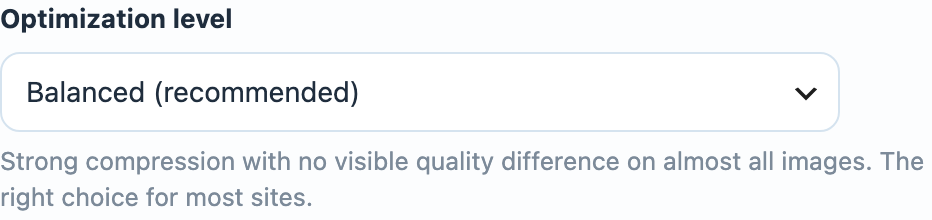
- Balanced (recommended). Strong compression with no visible quality difference on almost all images. The right choice for most sites, and the default. Start here.
- Highest quality (larger files). Lighter compression that preserves maximum image fidelity. Larger files; best for photography portfolios, print-quality galleries, and design work where every detail counts.
You'll see a short description update beneath the dropdown as you change the selection.
How to change it
- From your WordPress Dashboard, open the Infinite Uploads menu and find the Image Optimization section.
- Choose your level from the Optimization level dropdown.
- Click Save Settings.
Note: Changing the level applies to images as they are next requested and re-cached. To apply a new level to images already cached on the CDN, use the Purge CDN Cache button after saving. See Purging the CDN cache.
Why it works this way
Different sites value the size-versus-quality trade-off differently, and no single setting is right for everyone. A news site wants the lightest possible pages; a wedding photographer wants pixel-perfect galleries. The three levels let you pick your point on that scale in one click, and because optimization happens at delivery, you can experiment freely without ever changing your original files.
Not sure which to choose? Balanced is genuinely the right answer for the large majority of sites. If you're unsure, leave it there.