

The Views tab shows how people are watching each video in your Video Library: how many views it has, how long people watch, how engaged they are, when they watch, and where they are. Open it from Media > Video Library by clicking a video and choosing the Views tab.
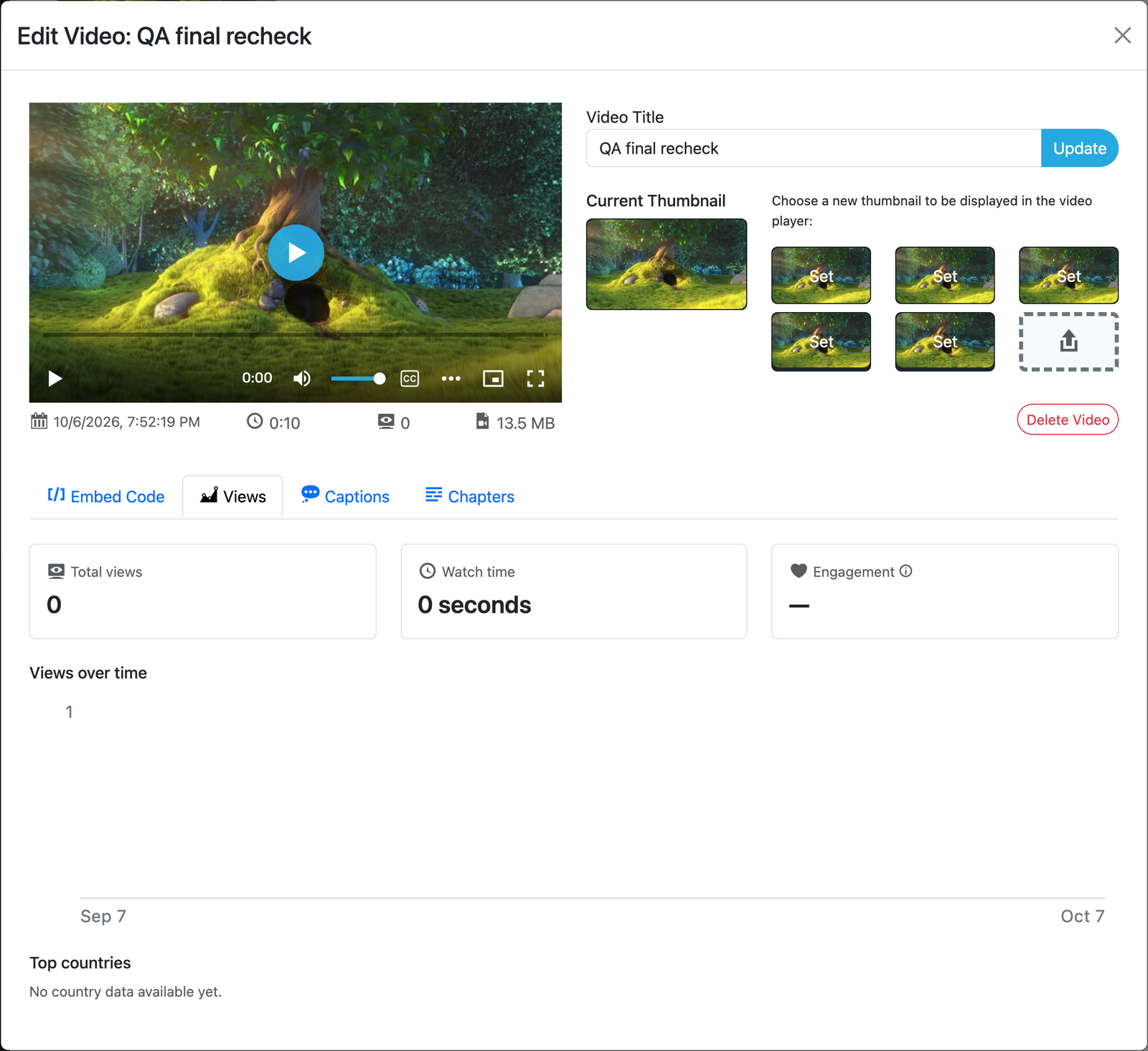
The numbers are reported for each video separately. They come from the Infinite Uploads player, so they reflect plays through the shortcode and the Infinite Uploads Video block on your site.
What Each Number Means
- Total views. How many times the video has been viewed.
- Watch time. The total time people have spent watching the video.
- Engagement. A score from 0 to 100 based on how long and how people watch the video. Higher means viewers stay with it. Click the help icon next to Engagement for a short explanation in the plugin.
- Views over time. A chart of views for the last 30 days, with the first and last dates labeled along the bottom. Dates are shown correctly for your time zone.
- Top countries. The five countries where your video is watched the most.
Why Engagement Shows a Dash
If Engagement shows a short dash instead of a number, the video doesn't have enough viewing data yet. That's normal for a new video or one with very few views. The score appears once more people have watched. A dash is not the same as a score of 0.
Empty Charts and Countries
A video that hasn't been watched yet shows 0 total views, 0 seconds of watch time, a dash for engagement, and "No country data available yet." under Top countries. Embed the video on a page, play it, and check the tab again.
Note: The Views tab replaces the older Stats tab from earlier plugin versions. Update to Infinite Uploads 3.4.1 or later to see it.
Get Support
Need help with video views or have questions? Submit a support request and a member of our team will get back to you within 24 hours. If you are having a problem, we would love the opportunity to resolve any issues. Create a ticket at https://infiniteuploads.com/support/