
Media Cleanup for Your WordPress Media Library
Find the files your site no longer uses and the images you uploaded more than once. Media Cleanup shows you where every file is used, and leaves every decision to you.
UNUSED FILES
Find Media Your Site No Longer Uses
See what is in use, what looks unused, and exactly where each file appears
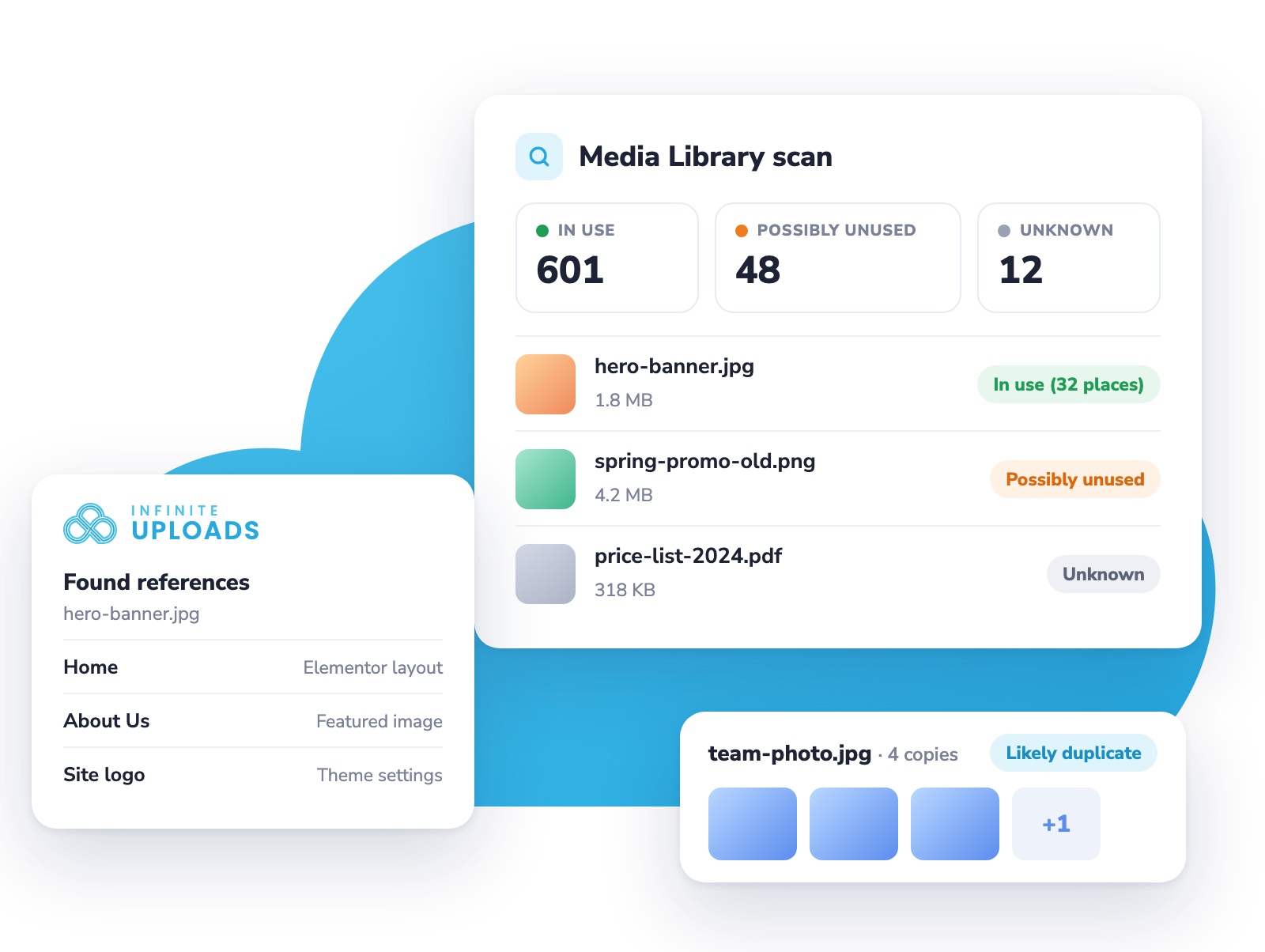
Media Cleanup scans your Media Library and checks every place a file can be used: post content, page builders like Elementor, Divi, Beaver Builder and Bricks, featured images, WooCommerce galleries, ACF fields, widgets and theme settings. Then it loads your public pages the way visitors see them.
Every file gets a status, and you can filter, sort and search the results. A good place to start is Possibly unused sorted by size, so the biggest files are at the top.

Clear Statuses
Files are marked In use, Possibly unused, or Unknown when we cannot rule out a use, like a PDF linked from an email.

Found References
Hover any file to see every post, page or setting that uses it before you decide what to delete.

Usage Column
A Usage column in your Media Library list view shows each file's status right where you manage your media.

CSV Export
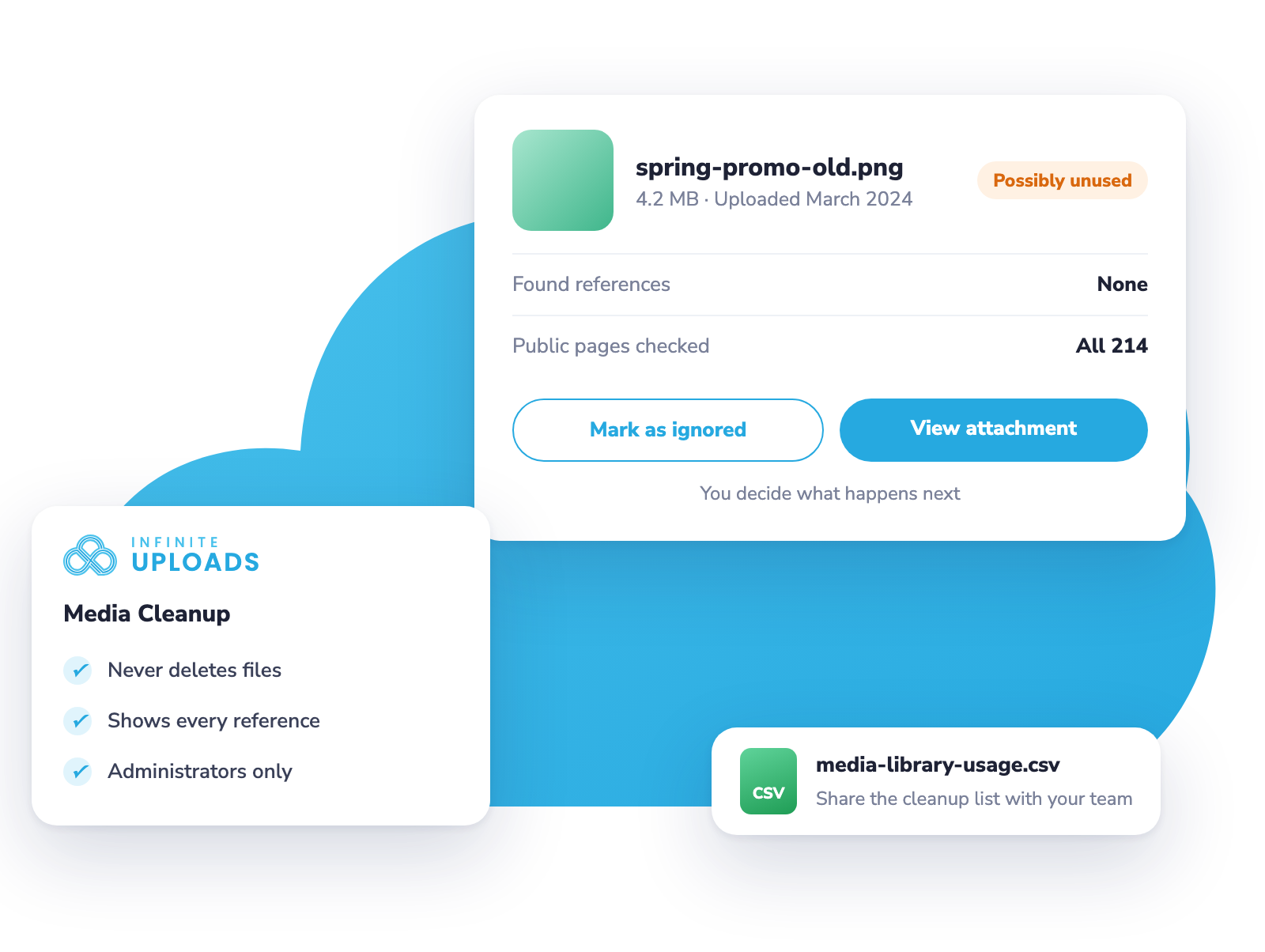
Export your results to hand a cleanup list to a client or your team.
POSSIBLE DUPLICATES
Find Images You Uploaded More Than Once
Compare likely copies side by side and keep the one you want
The Possible Duplicates tab groups images that look like copies of each other, like four uploads of the same team photo, so you can compare them side by side.
Duplicate detection only runs when you click scan, never on upload, so it never slows down your uploads.
Grouped Matches
Each group is labeled by how closely the files match, from Likely Duplicate to Needs Review.
Exact Match Check
Click Verify Exact Match to compare the files in a group byte for byte.
Ignore Groups
Keep both files? Ignore the group and it stays out of your counts until you bring it back.
Large Libraries
Scan libraries of up to 50,000 images, with the first 500 groups ready to review.
WHAT THE SCAN CHECKS
Every Place a File Can Be Used
From post content to the pages your visitors actually see
Media Cleanup looks for every file wherever WordPress, your theme and your plugins can reference it, so a file is only marked Possibly unused when no reference was found anywhere.
Post Content
Published, scheduled, draft, pending and private posts and pages, including galleries and Divi and Avada layouts.

Page Builders
Elementor, Beaver Builder, Bricks and Oxygen layouts are checked for every file they use.

Featured Images
Featured images and WooCommerce product galleries are counted as in use.

WooCommerce Categories
Product category images are checked too.
ACF Fields
ACF image, file and gallery fields on posts, terms, users and options pages.
Widgets and Theme Settings
Widgets, your logo, header image and site icon.
Your Public Pages
The scan loads your home page and every published post and page, and reads the images, backgrounds, videos and links on them.
WP-CLI and Filters
Developers can work with Media Cleanup from WP-CLI and fine-tune its results with filters.
YOU STAY IN CONTROL
Media Cleanup never deletes anything.
Deleting a file that is still in use breaks images on your site, so Media Cleanup leans toward caution. It tells you what it found, shows you where, and leaves every decision to you.
When you are sure a file is not needed, delete it from Media > Library as usual. Only administrators can use Media Cleanup. Read the guide.
THREE STATUSES
Every File Gets a Clear Status
Cautious by design, because deleting a file that is still in use breaks your pages
Media Cleanup only marks a file unused when it finds no reference anywhere on your site, whether that reference uses your local uploads address or your Infinite Uploads CDN address. When it cannot rule out a use, it says so.
The same statuses appear in the results list and in a Usage column in your Media Library list view.
In Use
A reference was found, and you see how many places, like In use (32 places).
Possibly Unused
No reference was found anywhere. Check the upload date before deleting recent files.
Unknown
We cannot rule out a use, like a PDF linked from an email or a file on an unpublished post.
Ignored
Mark files you have decided to keep, and they stay ignored across future scans.
INCLUDED WITH BUSINESS
Included With Every Business Plan
Media Cleanup, including Possible Duplicates, comes with every Business plan, with no add-on to buy.
Every file you keep is a file you pay to store.
Storage, bandwidth, CDN and Media Cleanup are included in one plan, so you can keep your library lean as your site grows.