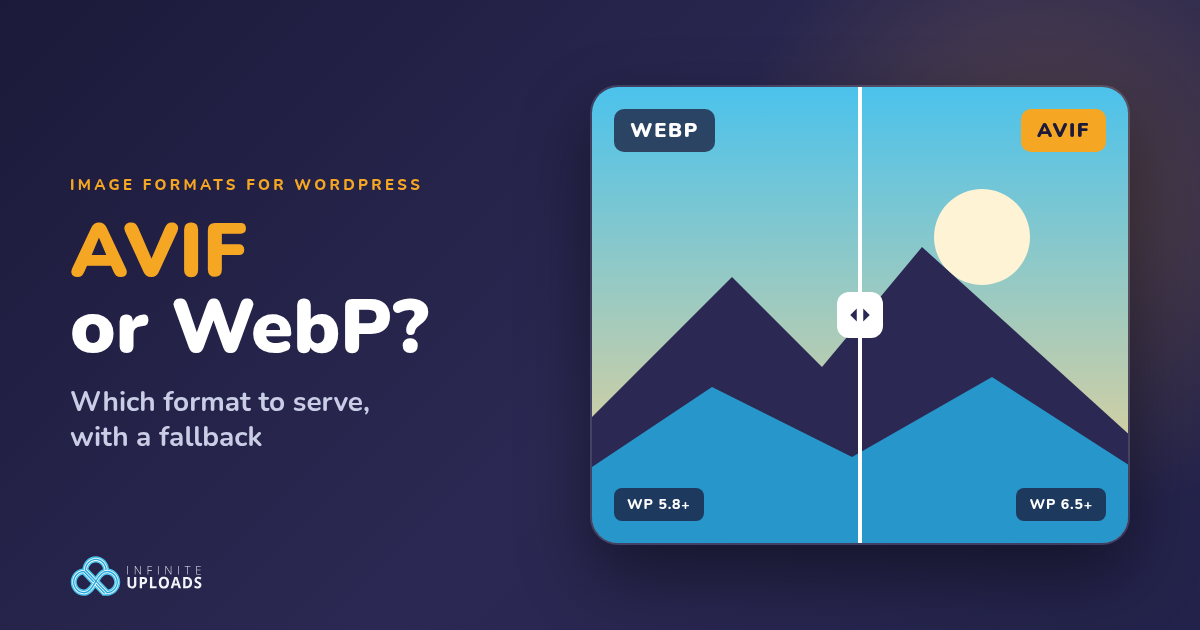
Most image optimization tools for WordPress hand you some version of the same choice. AVIF or WebP. Most people pick one, guess, and move on.
I wanted a real answer instead of another chart copied from somebody else's blog. So I took six real photos out of a WordPress media library, encoded them myself at matched quality, then pushed the same six through our CDN and measured what came back. AVIF won most of the time. Not every time. That second part is the whole reason I tell people to serve both.
Below is what each format is, what my numbers showed, where browser and WordPress support stand in October 2026, and how to serve both without a single visitor seeing a broken image.
What AVIF and WebP actually are
WebP is Google's image format. Lossy WebP is built on the VP8 video codec, lossless WebP uses its own VP8L format, and both sit inside a RIFF container with support for transparency and animation. Google's own numbers say lossless WebP is 26% smaller than PNG, and lossy WebP is 25 to 34% smaller than a JPEG at the same SSIM quality score (Google's WebP page).
AVIF is the AV1 Image File Format from the Alliance for Open Media. It stores images compressed with the AV1 video codec inside a HEIF container, and it handles HDR, wide color gamut, transparency, and image sequences (the AVIF specification).
Think of a JPEG as a suitcase you have to sit on to get closed. WebP is a better suitcase. AVIF is a vacuum bag: same clothes, a lot less space, but the person unpacking it (your visitor's browser) has to know how to open it.
File size: what my test actually showed
Format comparisons online love to quote one number. The honest answer depends on the photo, so I measured.
I used six JPEG photos that were already sitting in a WordPress media library: a Milky Way shot over a fence, a wheat field, water droplets, a black and white mountain valley, St Paul's Cathedral at night, and grass at sunset. Five are 1920 by 1280 pixels (one of those is portrait) and one is 800 by 1200. For each photo I made a fresh JPEG, a WebP with cwebp 1.5.0, and an AVIF with avifenc 1.2.1 (libaom), and I dialed each format's quality setting up or down until it hit the same SSIM score of 0.985 against the original.
SSIM is a score for how closely one image matches another, where 1.0 means identical. It's like holding two photocopies up to a window: the better they line up, the higher the score. Matching the SSIM means every file in this table looks about the same. Only the size changes.
| Photo | Original JPEG | JPEG re-encode | WebP | AVIF |
|---|---|---|---|---|
| Milky Way over a fence | 390 KB | 341 KB | 526 KB | 316 KB |
| Wheat field | 181 KB | 153 KB | 111 KB | 66 KB |
| Water droplets | 152 KB | 66 KB | 58 KB | 26 KB |
| Mountain valley (black and white) | 225 KB | 144 KB | 122 KB | 97 KB |
| St Paul's Cathedral at night | 177 KB | 146 KB | 103 KB | 71 KB |
| Grass at sunset | 66 KB | 55 KB | 42 KB | 29 KB |
| Total | 1,191 KB | 905 KB | 962 KB | 605 KB |
AVIF was the smallest file on all six photos. Across the set it came in 37% smaller than WebP and 33% smaller than the JPEG re-encode, at the same quality score.
WebP beat the JPEG re-encode on five of the six. Then the Milky Way shot happened. Thousands of tiny stars plus sensor noise, and WebP needed 526 KB to match a 341 KB JPEG. That's 54% BIGGER. One noisy photo wiped out its lead across the whole set.
There's a second lesson in my notes. When I encoded the same six at the quality numbers WordPress uses by default (86 for WebP, 82 for AVIF), the WebP set came out 4% larger than the original JPEGs and the AVIF set was only 6% smaller. These photos were already compressed. Re-encoding a compressed photo at a high quality number mostly repackages the same data. The quality setting moved the needle more than the format name did.
Browser support in October 2026
Support is basically solved for both. As of this week, caniuse puts WebP at 97.08% of global browser usage and AVIF at 96.33%.
| Browser | WebP since | AVIF since |
|---|---|---|
| Chrome | 32 | 85 |
| Firefox | 65 | 93 |
| Safari on Mac | 16.0 (14 to 15.6 on macOS Big Sur or newer) | 16.4 (partial from 16.1) |
| Safari on iPhone and iPad | 14.0 | 16.0 |
| Edge | 18 | 121 |
| Samsung Internet | 4 | 14.0 |
That leftover 3 to 4% includes older Safari on Macs and iPhones that never updated. Small. Not zero. Serve AVIF to everyone with no fallback and those people get a broken image icon where your product photo should be.
What WordPress core does, and what it doesn't
WordPress 5.8 added WebP support, and WordPress 6.5 added AVIF. Both depend on your host. The server's Imagick or GD library has to support the format, or WordPress can't create the resized copies. You can check yours under Tools > Site Health > Info > Media Handling.
Here's the part people miss. Uploading an AVIF is supported. Turning your JPEGs INTO AVIF is not something core does on its own. I checked on WordPress 7.1: the output format map is empty by default, so a JPEG upload stays a JPEG, and every size WordPress generates from it stays a JPEG too.
A developer can change that with the image_editor_output_format filter. This tells WordPress to save the sizes it generates from new JPEG uploads as AVIF:
add_filter( 'image_editor_output_format', function( $formats ) { $formats['image/jpeg'] = 'image/avif'; return $formats; } );Be careful with it. It only touches images WordPress processes after you add it, it converts at the default quality (82 for AVIF unless you change it with wp_editor_set_quality), and core still prints a plain <img> tag. No <picture> element. No fallback. Every visitor gets AVIF, including the ones whose browser can't open it. Adam Silverstein, who wrote that dev note, said in its comments that the best fix is an image CDN that handles browser negotiation, or a picture element with a JPEG fallback, because core doesn't do that yet.
How to serve both with a fallback
There are two proper ways to do it.
Option 1: the picture element
You hand the browser a list and it takes the first format it understands:
<picture> <source srcset="sunset.avif" type="image/avif"> <source srcset="sunset.webp" type="image/webp"> <img src="sunset.jpg" alt="Grass at sunset" width="800" height="1200"> </picture>It works everywhere, because a browser that doesn't understand <picture> just reads the <img> inside it. The catch is everything around it. You need three files for every image, WordPress makes several sizes of every upload, so the copies multiply fast. Then your theme, your page builder, and every plugin that prints images all have to output this markup instead of a plain img tag. That's a lot of moving parts on a site with years of uploads.
Option 2: let the CDN pick (content negotiation)
Every time a browser requests an image, it sends an Accept header listing the formats it can handle. Here's exactly what Chromium 149 (the engine inside Chrome) sent in my test:
image/avif,image/webp,image/apng,image/svg+xml,image/*,*/*;q=0.8A server or CDN that reads that header can answer the SAME URL with AVIF for this browser, WebP for a browser that only lists WebP, and the original JPEG for anything else. Caches have to keep those versions apart, which is what the Vary response header is for. Think of a hotel front desk that answers in whatever language the guest speaks. One desk, one phone number, and nobody gets a reply they can't read.
Your HTML doesn't change. Your image URLs still end in .jpg. This is the approach I prefer, and it's how both Infinite Uploads and Optimole do it.
How Infinite Uploads serves AVIF and WebP
Image Optimization is part of every Infinite Uploads Business plan. Once your media is offloaded, you turn it on from the Infinite Uploads screen in your WordPress dashboard (here's the step by step).
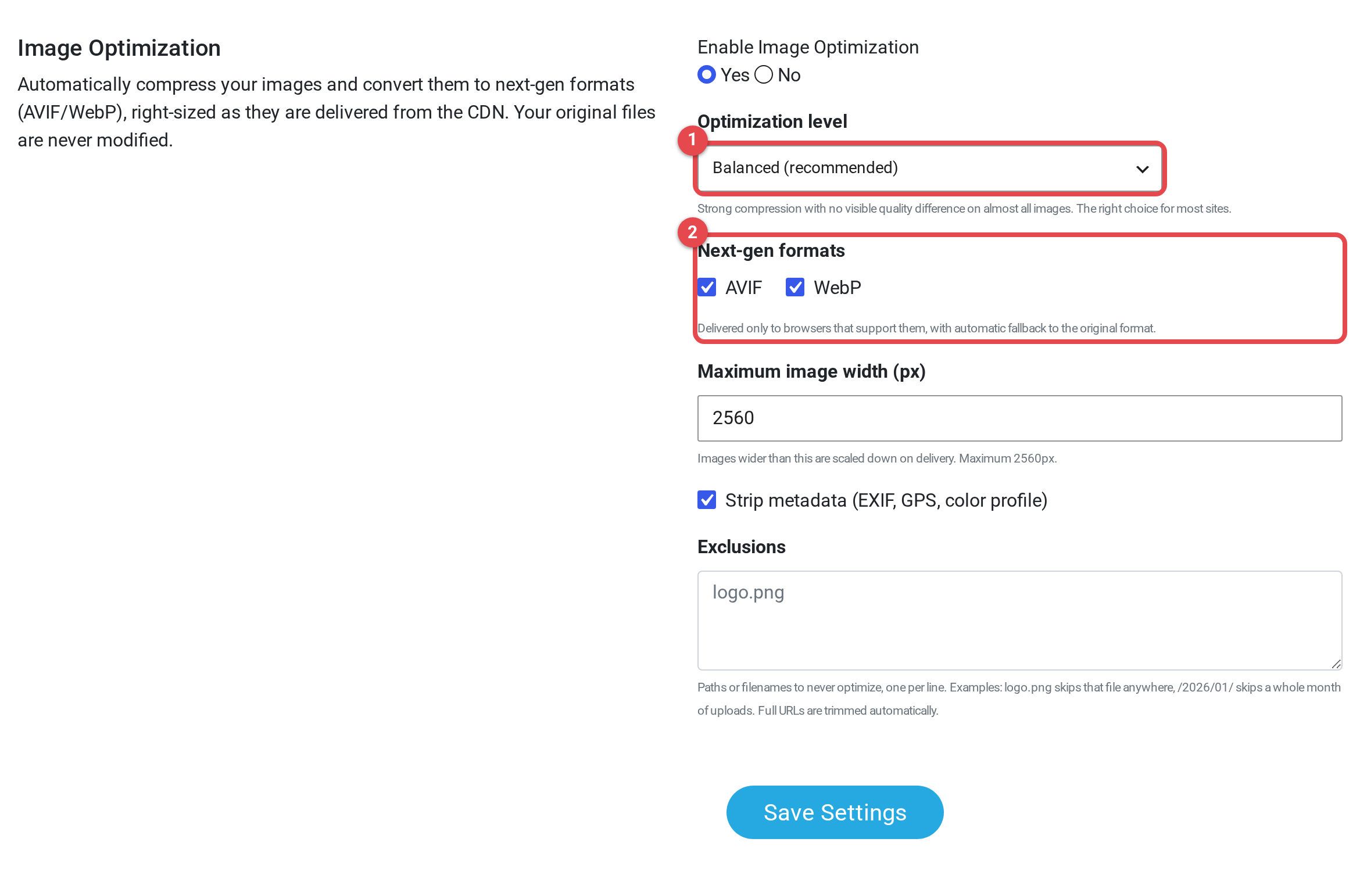
Four settings matter for the AVIF vs WebP question:
- Enable Image Optimization. Off until you set it to Yes.
- Optimization level. Compact, Balanced, or Quality. Balanced is the default, and the plugin describes it as "strong compression with no visible quality difference on almost all images." Quality is the pick for photography sites. How to choose a level.
- Next-gen formats. AVIF and WebP, both checked by default, "delivered only to browsers that support them, with automatic fallback to the original format."
- Max width. Anything wider gets scaled down on delivery. The default is 2560 pixels.
When a browser asks for an image, our CDN reads its Accept header and sends AVIF if the browser takes it, WebP if it only takes WebP, and your original file if it takes neither. Your originals are never modified. How Image Optimization works goes deeper on the mechanics.
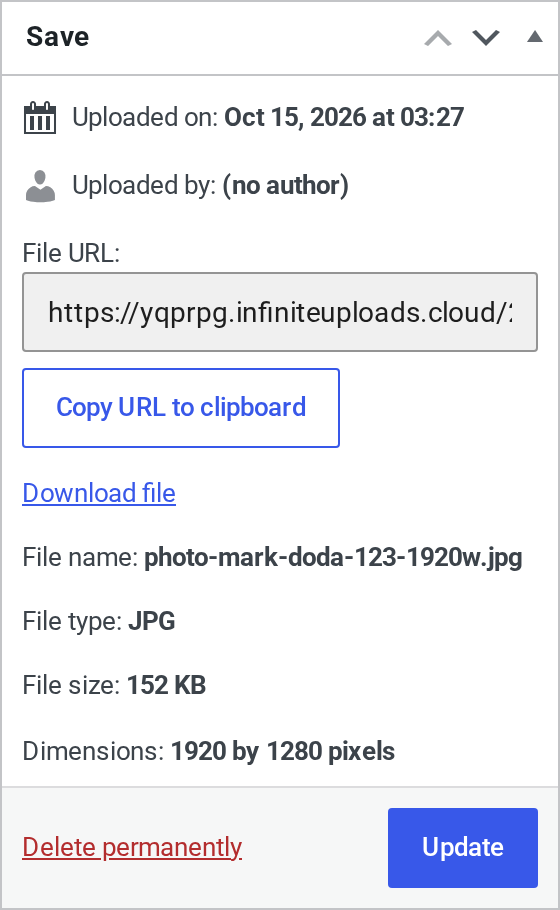
That's the water droplets photo from my test, in the WordPress media library of a connected test site. The file URL points at the Infinite Uploads CDN. The file name ends in .jpg. File type JPG. 152 KB. Nothing about the attachment changes when Image Optimization is on.
One .jpg URL, three different browsers
With Image Optimization on at Balanced, I requested each photo's .jpg URL from our CDN three times: once with an Accept header like a modern AVIF browser, once like a browser that only takes WebP, and once like an old browser that takes neither.
| Photo | Original JPEG (old browser) | Served as WebP | Served as AVIF |
|---|---|---|---|
| Milky Way over a fence | 390 KB | 380 KB | 354 KB |
| Wheat field | 181 KB | 116 KB | 113 KB |
| Water droplets | 152 KB | 80 KB | 92 KB |
| Mountain valley (black and white) | 225 KB | 176 KB | 160 KB |
| St Paul's Cathedral at night | 177 KB | 117 KB | 114 KB |
| Grass at sunset | 66 KB | 44 KB | 43 KB |
| Total | 1,191 KB | 913 KB | 876 KB |
Across the set, AVIF came back 26.5% smaller than the originals and WebP 23.3% smaller. Same URLs. Same HTML. A real Chromium 149 browser loading the droplets URL got image/avif back, 92 KB instead of 152 KB.
Look at the water droplets row, though. At Balanced, the WebP version (80 KB) was smaller than the AVIF one (92 KB). A Chrome visitor still gets the AVIF, because our CDN picks the format by what the browser supports, not by comparing sizes photo by photo. Both versions are still at least 40% under the original, so I'm not losing sleep over it. But it's the honest result, and it's why I'd never tell you one format wins on every image.

That's the same connected test site on a Business plan. The cheapest plan with Image Optimization is Business with 100 GB of storage and 200 GB of bandwidth: $24/mo billed yearly ($288/yr), or $29/mo billed monthly. Starter doesn't include it. Every plan is on the pricing page.
If you want the launch details, including how it handles the images already in your library, read Infinite Uploads Now Optimizes Your Images to AVIF and WebP.
Infinite Uploads vs Optimole for AVIF and WebP
Optimole is the closest alternative for this, so here's a fair side by side using Optimole's own pricing page and docs as of October 20, 2026.
Optimole negotiates per browser too. Its docs say a browser that supports AVIF may receive AVIF, an older browser that only supports WebP gets WebP, and if neither is supported it falls back to the original format (Automatic Best Image Format Selection). It goes a step further: that same feature analyzes each image and experiments with formats like AVIF or WebP to get the smallest file without hurting quality. On a photo like my water droplets shot, that could mean WebP where we'd send AVIF. New Optimole users start on the Speed Optimized preset, which has AVIF enabled (Optimole presets). Images are served from Optimole's own i.optimole.com URLs, and the file extension stays .jpg or .png even when the format changes (Optimole on WebP).
The bigger difference is how you pay. Optimole charges by monthly visits. We charge by storage and bandwidth.
| Infinite Uploads | Optimole | |
|---|---|---|
| How the format is picked | Per browser, from the Accept header: AVIF, then WebP, then the original | Per browser, plus optional per-image best format selection |
| Cheapest plan with AVIF and WebP delivery | Business, 100 GB storage and 200 GB bandwidth: $24/mo billed yearly or $29/mo billed monthly | Starter, 48,000 visits a month: $19.08/mo billed yearly or $22.90/mo billed monthly |
| What you pay for | Storage and bandwidth | Monthly visits, with optimizations and bandwidth unlimited under fair use |
| Free option | 7-day free trial on any plan | Free plan for 2,000 monthly visits, and a 7-day money-back guarantee on paid plans |
| Custom CDN domain (CNAME) | Business plans | Business and Flexible plans, not Starter |
| CDN | 119+ PoPs | CloudFront, 450+ locations |
| What gets offloaded | Your whole uploads folder: images, video, PDFs, everything | Images (video optimization is a separate add-on) |
Where Optimole wins: there's a free plan, its cheapest paid plan costs less than our Business plan, and per-image format picking could squeeze out a few more KB on photos like my droplets. Where we win: your bill is tied to storage and bandwidth, not a visit count. Optimole's docs say automatic quota upgrades on premium plans "cannot be disabled" when your traffic goes past the limit (visits based plan). And Infinite Uploads offloads your whole media library, video and PDFs included, then optimizes the images on the way out.
I went through the pricing math in Pay for Visits or Pay for GB?, and the full comparison lives on our Optimole alternative page.
So which one should you serve?
Both. AVIF first, WebP second, the original as the safety net. My numbers back that up: AVIF was the smallest file on every photo at matched quality, WebP still covers browsers that can't take AVIF, and neither format won every single image.
If your setup can only write one format with no fallback, pick WebP. It has the wider support, and you won't strand anyone on an iPhone stuck on iOS 15. Then plan your move to a setup that serves both.
And whatever you pick, watch the quality setting. Converting an already compressed JPEG at a high quality number can make it BIGGER. I watched it happen.
AVIF vs WebP FAQ
Is AVIF better than WebP?
For file size, usually. In my matched-quality test AVIF was 37% smaller than WebP across six photos and the smallest file on every one. WebP has slightly wider browser support (97.08% vs 96.33% on caniuse).
Does WordPress support AVIF?
Yes, since WordPress 6.5, as long as your server's Imagick or GD library supports it. Check Tools > Site Health > Info > Media Handling. WebP has been supported since WordPress 5.8.
Does WordPress convert my images to AVIF or WebP automatically?
No. Core keeps JPEGs as JPEGs unless a developer adds the image_editor_output_format filter, and even then it serves one format to everyone with no fallback.
Will AVIF break images in older browsers?
Only if you serve it without a fallback. With a picture element or a CDN that negotiates formats, browsers that can't read AVIF get WebP or the original instead.
Is Image Optimization included in every Infinite Uploads plan?
No, it comes with Business plans, starting at $24/mo billed yearly or $29/mo billed monthly for 100 GB of storage and 200 GB of bandwidth. The free trial includes the features of the plan you pick, so start on a Business plan if you want to test it.
More on images in WordPress: how to compress and optimize images for WordPress and the best WordPress image optimization plugins.
Want AVIF and WebP served from the same URLs without touching your theme? Image Optimization comes with every Business plan, and you can try any Infinite Uploads plan free for 7 days. The trial includes the features of the plan you pick.