Infinite Uploads 3.5 is out, and it's the biggest update we've shipped this year. You can now start on a Free plan without a credit card. You can find the files sitting in your Media Library that nothing uses anymore. Your WooCommerce and Easy Digital Downloads files only open for people who actually bought them. And the whole plugin got a new look.
Here's what's new and how to use it.
Start on the Free plan
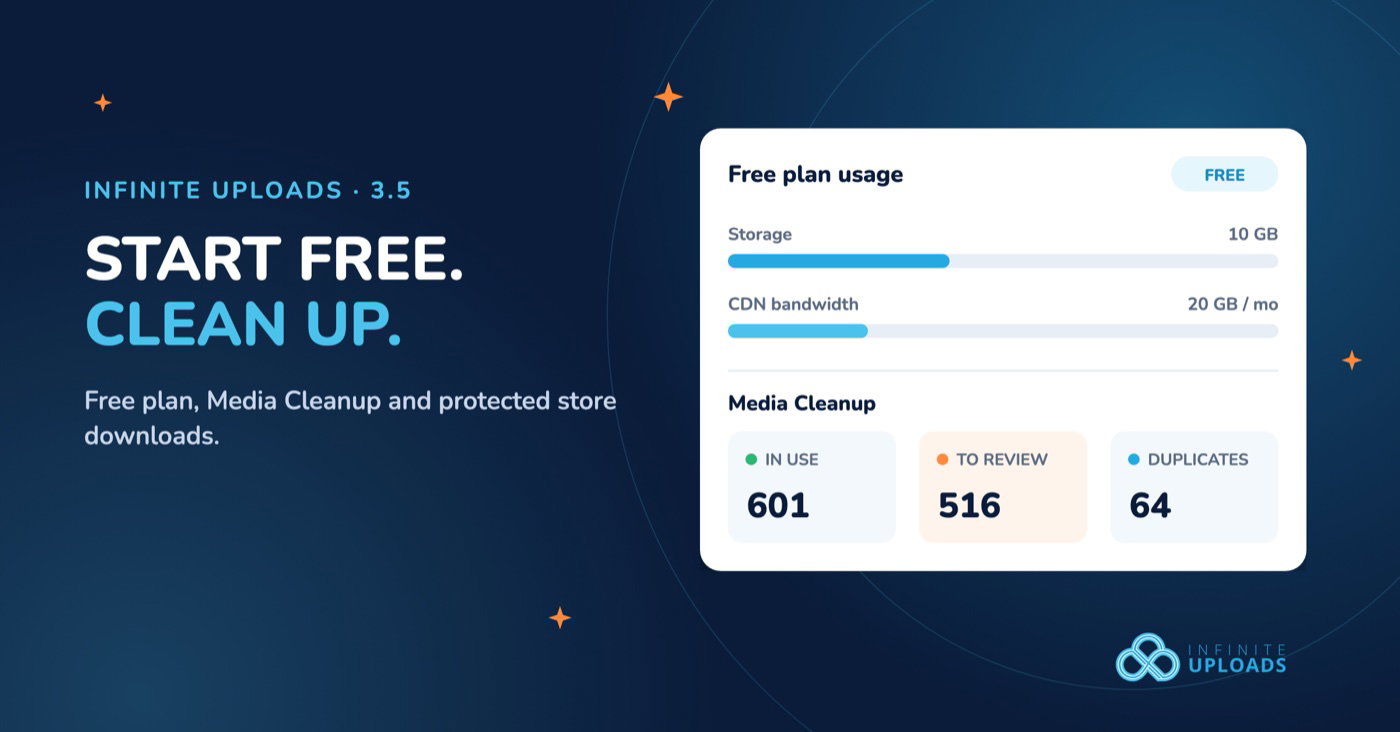
The most common question we get from people trying Infinite Uploads for the first time is some version of "can I just test it on one site before I pay?" Now you can, for as long as you want. The Free plan gives you 10 GB of cloud storage and 20 GB of CDN bandwidth a month, shared across all of your sites. No credit card.
We also made sure the limits never surprise you. If a Free site fills its storage, new uploads pause with a clear message and an upgrade link. A sync that wouldn't fit stops BEFORE it starts, so you never end up with half a library in the cloud. If bandwidth runs low or delivery pauses, a notice tells you what happened and when it resets.
When you outgrow it, upgrade to a paid plan. Your files stay right where they are.
Media Cleanup finds the files nothing uses
Every Media Library I've ever opened on a client site has the same problem. Five years of uploads, three redesigns, a logo from 2019 nobody remembers replacing, and four copies of the same team photo. Nobody wants to delete anything because nobody knows what's still in use.
Media Cleanup answers that. It scans your Media Library and shows which files are in use and which look unused. It checks a lot more than post content:
- Posts and pages, including page builders like Elementor, Beaver Builder, Divi, Bricks and Oxygen
- WooCommerce products and product categories
- ACF fields and widgets
- Theme settings, such as your logo and site icon
- Your public pages, as visitors actually see them
Think of it like cleaning out the garage with a list of everything you've touched in the last year. It shows you what's collecting dust. You decide what goes to the curb. Media Cleanup never deletes anything for you.
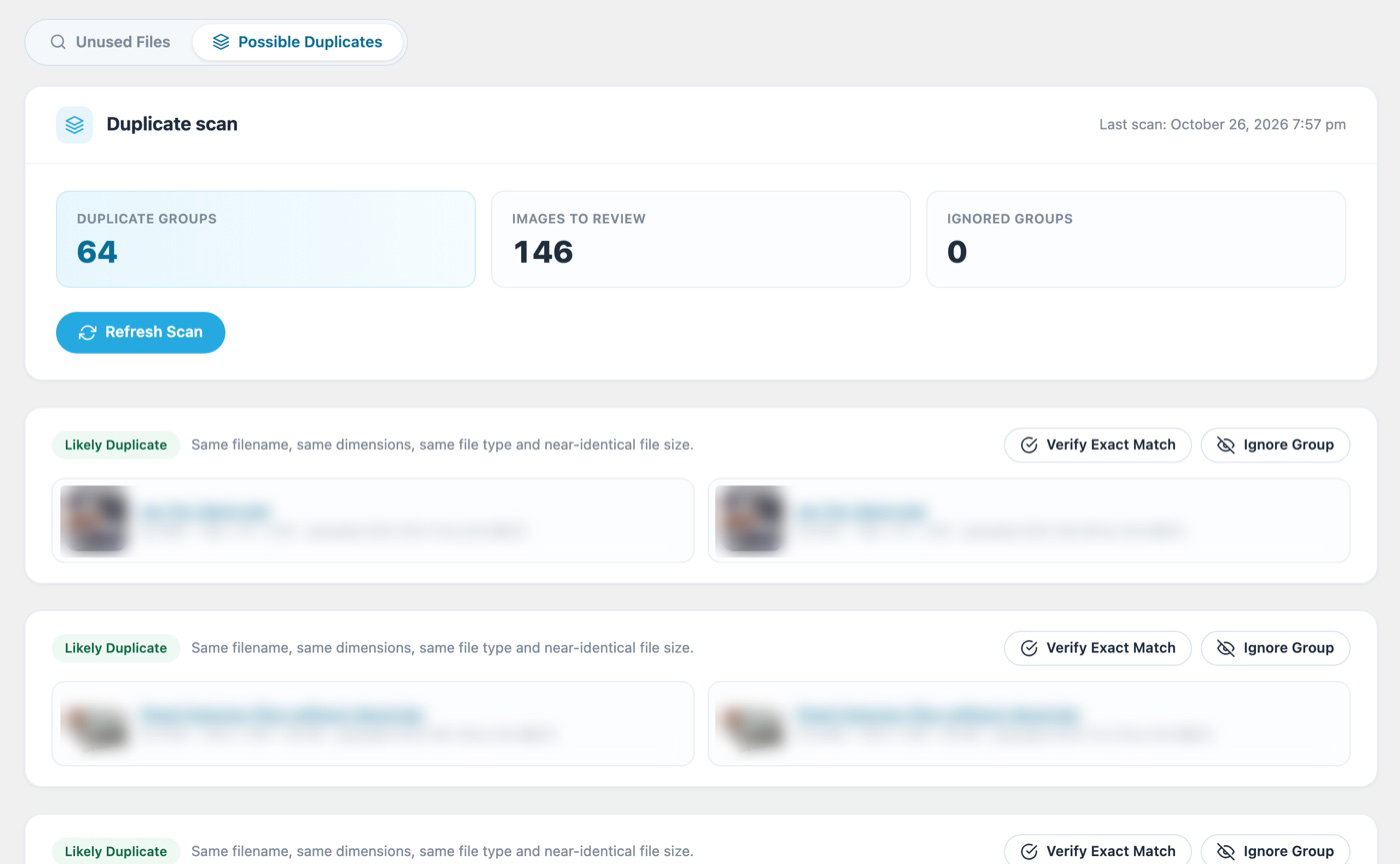
It also finds possible duplicate images, so those four copies of the team photo finally get caught. A new Usage column in the Media Library shows each file's status, and you can rescan a single file, mark files as ignored, and export the results as a CSV to hand to a client or your team.
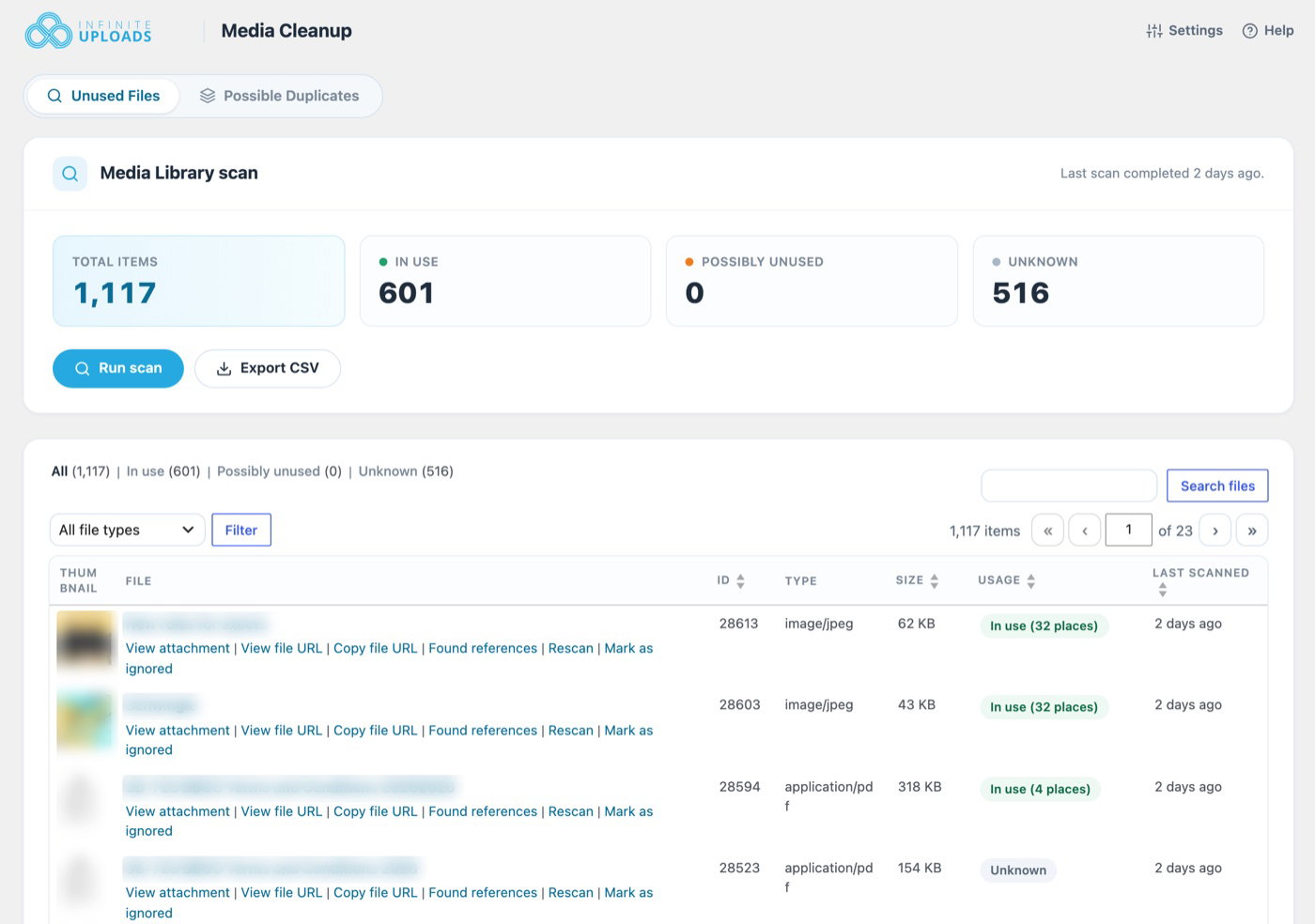
To turn it on:
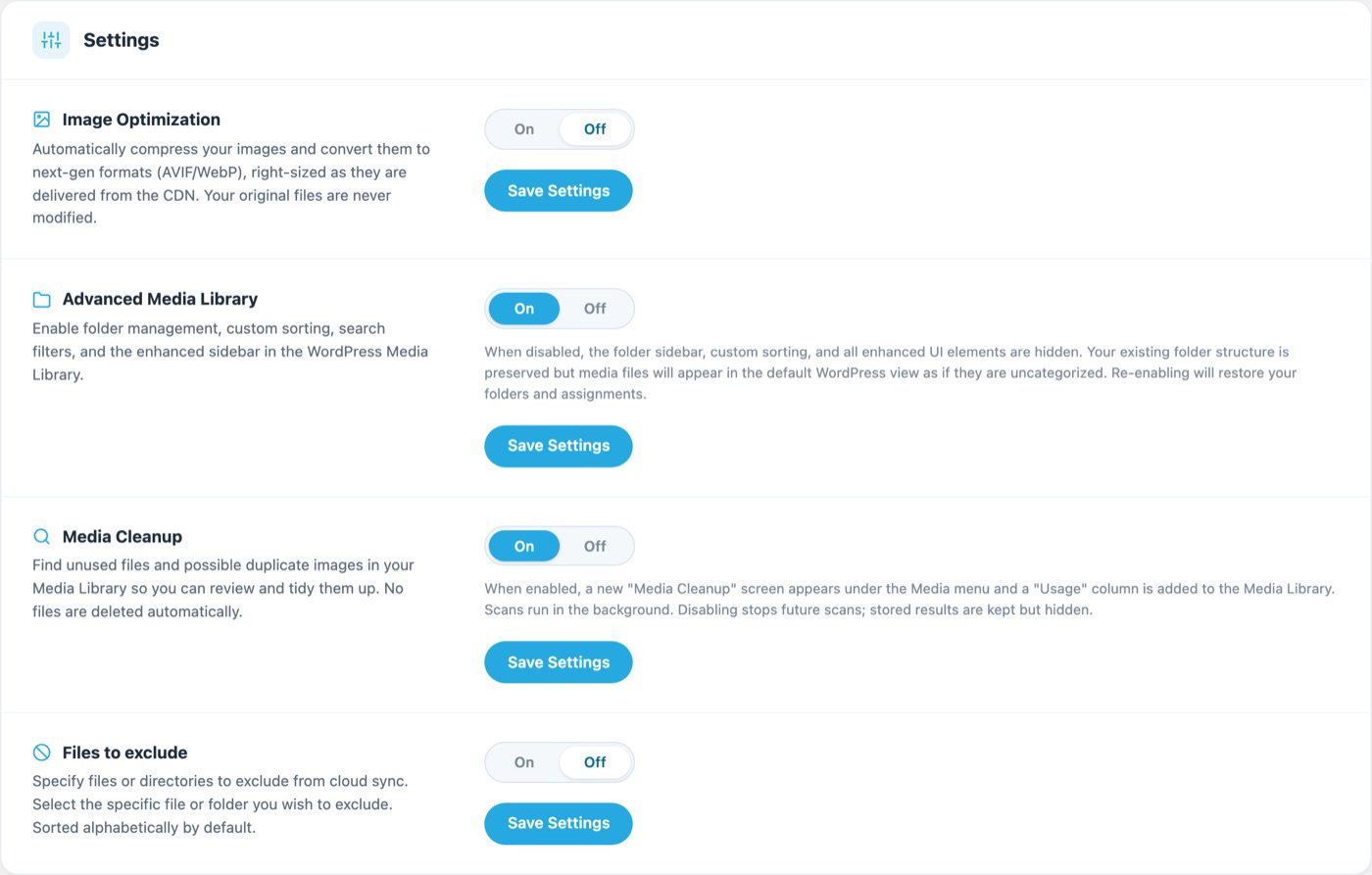
- Go to the Infinite Uploads settings and switch on Media Cleanup.
- Open Media > Media Cleanup.
- Run a scan, then review the results and the possible duplicates.
Media Cleanup is included with Business plans, and only administrators can use it.
Store downloads are now protected
If you sell digital products with WooCommerce or Easy Digital Downloads and store those files in the cloud, this one matters. Until now, anyone who got hold of a file's URL could download it. A customer shares the link in a forum, and your $49 course is free for everyone.
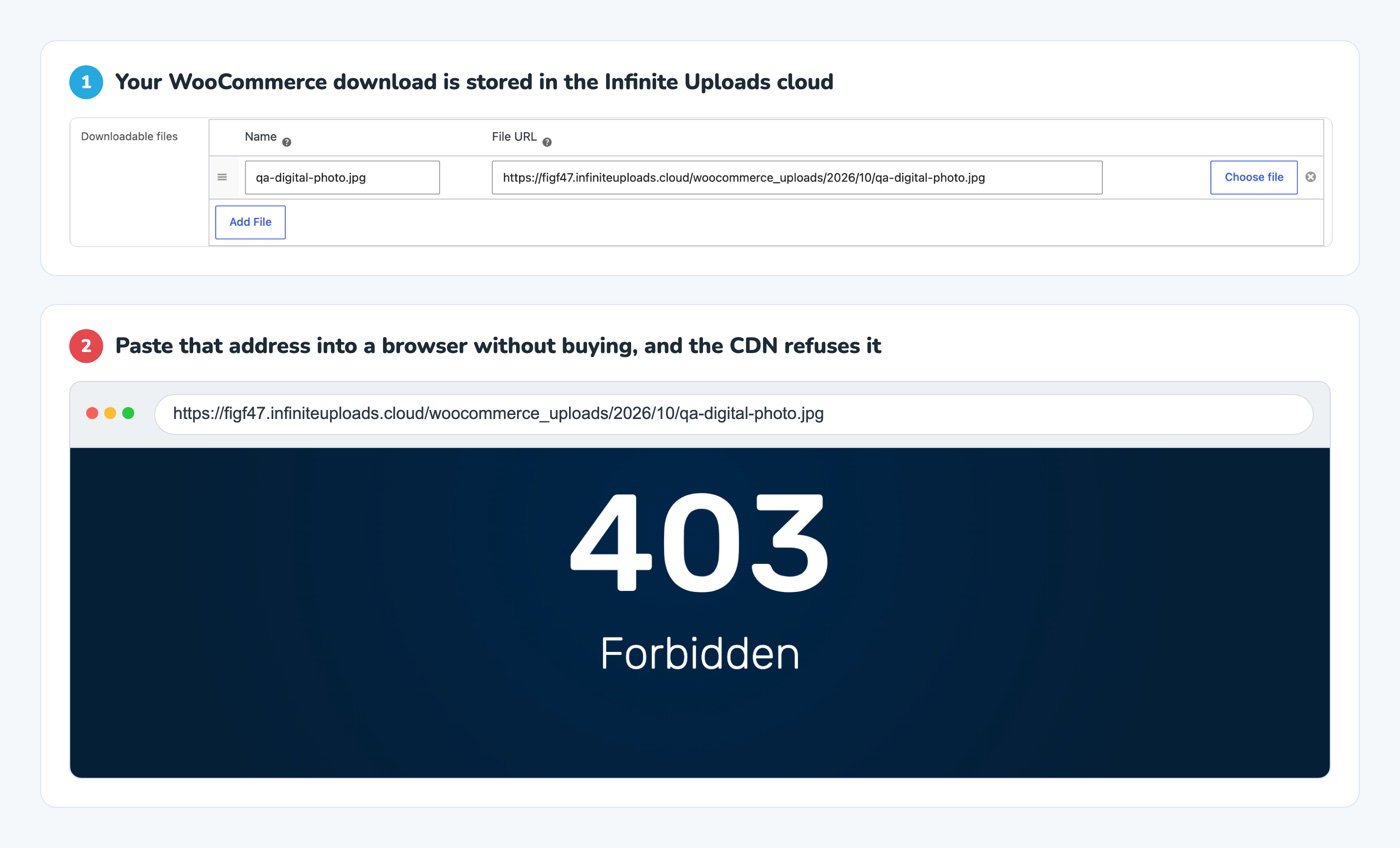
In 3.5, the CDN refuses those store files unless the link is signed. Once WooCommerce or EDD has checked the purchase, the buyer gets a signed download link that works for 10 minutes. A signed link works like a hotel key card. It opens one door, for a short window, and only after the front desk checked you in. Copy the bare file address somewhere else and it just doesn't open.
There's nothing to set up. It works automatically, and the rest of your media (product photos, videos, everything else) is delivered exactly like before.
A cleaner Infinite Uploads screen
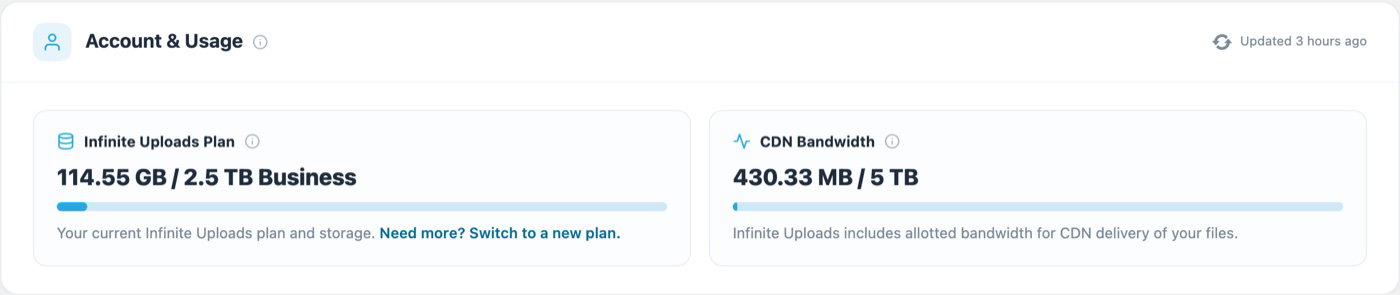
We redesigned every step of the plugin, from the first scan to connecting, syncing and settings. There's a status badge in the header, a Scan, Connect and Sync tracker so you always know which step you're on, usage bars for storage and bandwidth, and simple on/off switches for settings. The Video Library and Video Settings pages match the new look, and every screen now uses the full width of your admin area, so big monitors finally get used.
Get Infinite Uploads 3.5
Already running Infinite Uploads? Update from your Plugins page. New to it? Install Infinite Uploads from WordPress.org, connect your site, and start on the Free plan.
Start free. Clean up. Sell without leaking files.