WordPress 7.1 ships August 19, and it does more for your images than any release in years. You don't need to be technical to care, and you don't need to touch a beta. We ran 7.1 ourselves and pulled out what actually changes for the way you upload and manage photos.
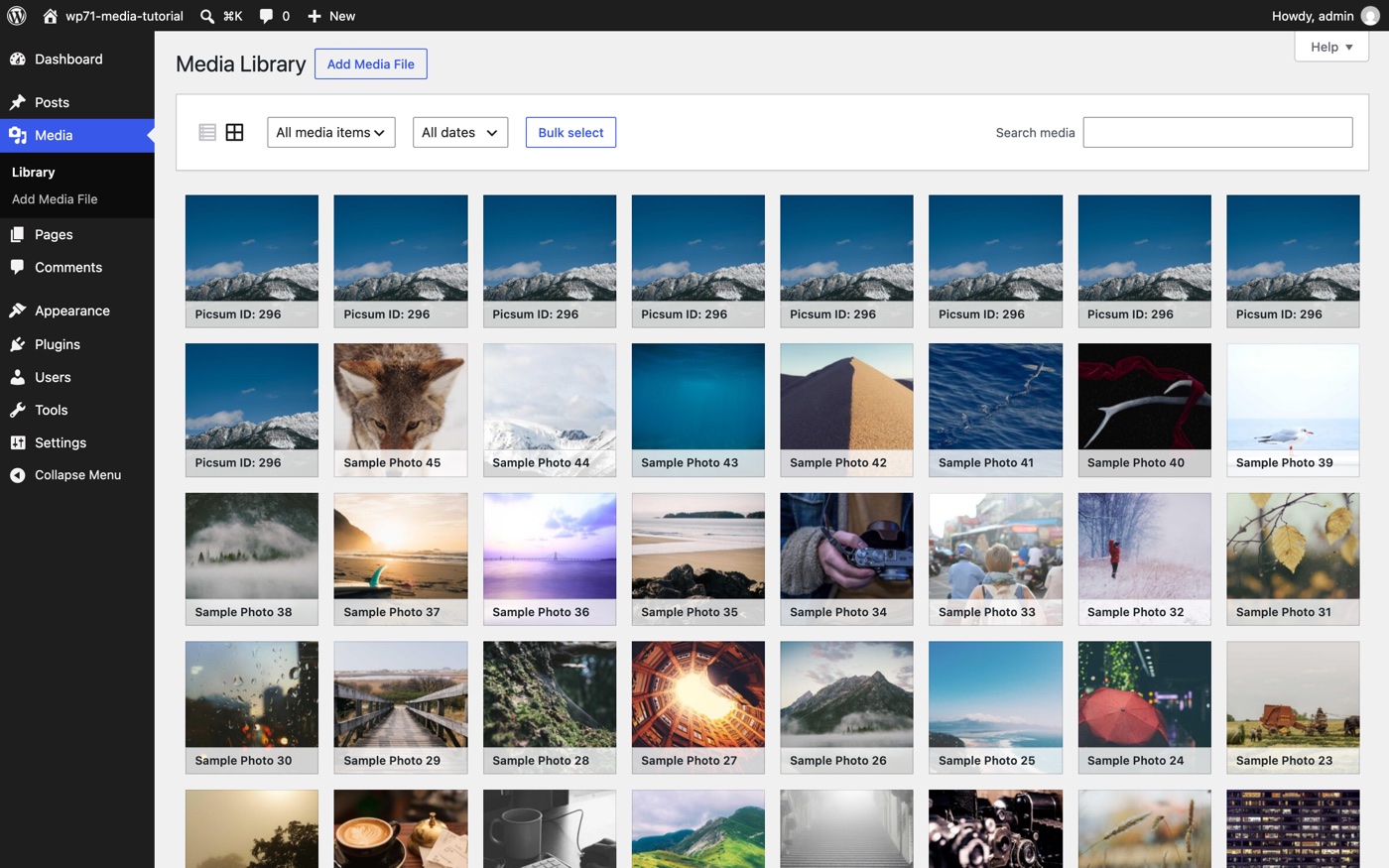
WordPress runs a huge chunk of the web, and a new version lands on August 19. Most updates you can safely ignore. This one you shouldn't, because it reworks the part of WordPress you actually touch every week. The Media Library. Where all your images live.
We spun up the 7.1 beta and put it through its paces so you don't have to. No plugins to install, no commands to run, nothing to test. Everything below is what's different for regular site owners, marketers, and anyone who uploads pictures to WordPress.
The short version: Uploading images gets smoother, iPhone photos included. The image editor is tidier. And the Media Library finally scrolls instead of making you click "Load more." You'll get it as a normal update on August 19. Nothing to do right now.
Uploading images gets smoother, iPhone photos included
Most of the work in 7.1 went into uploads. A few things you'll actually notice:
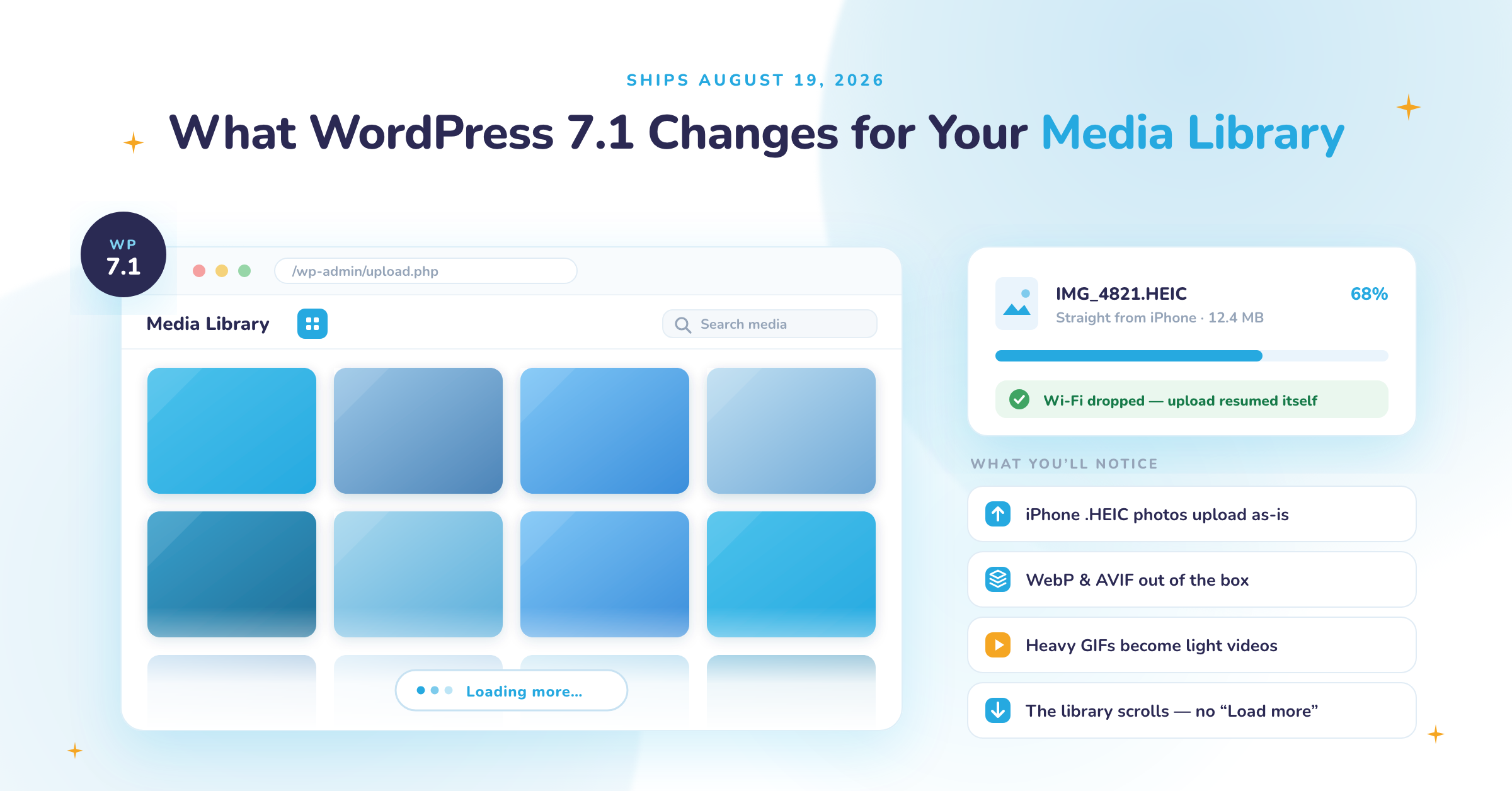
- iPhone photos work now. Those .heic files your iPhone makes can go straight into WordPress. No converting them to JPEG first.
- Modern formats work out of the box. Lighter formats like WebP and AVIF, no plugin needed.
- Big animated GIFs can become lightweight videos. Same motion, a fraction of the file size.
- Uploads got tougher. You get a progress bar, and if your wifi drops mid-upload, WordPress keeps trying instead of failing on you.
That last one is the one people will love, so we broke our own connection on purpose to show it. Watch the upload lose the network, hold, retry, and finish on its own once it's back:
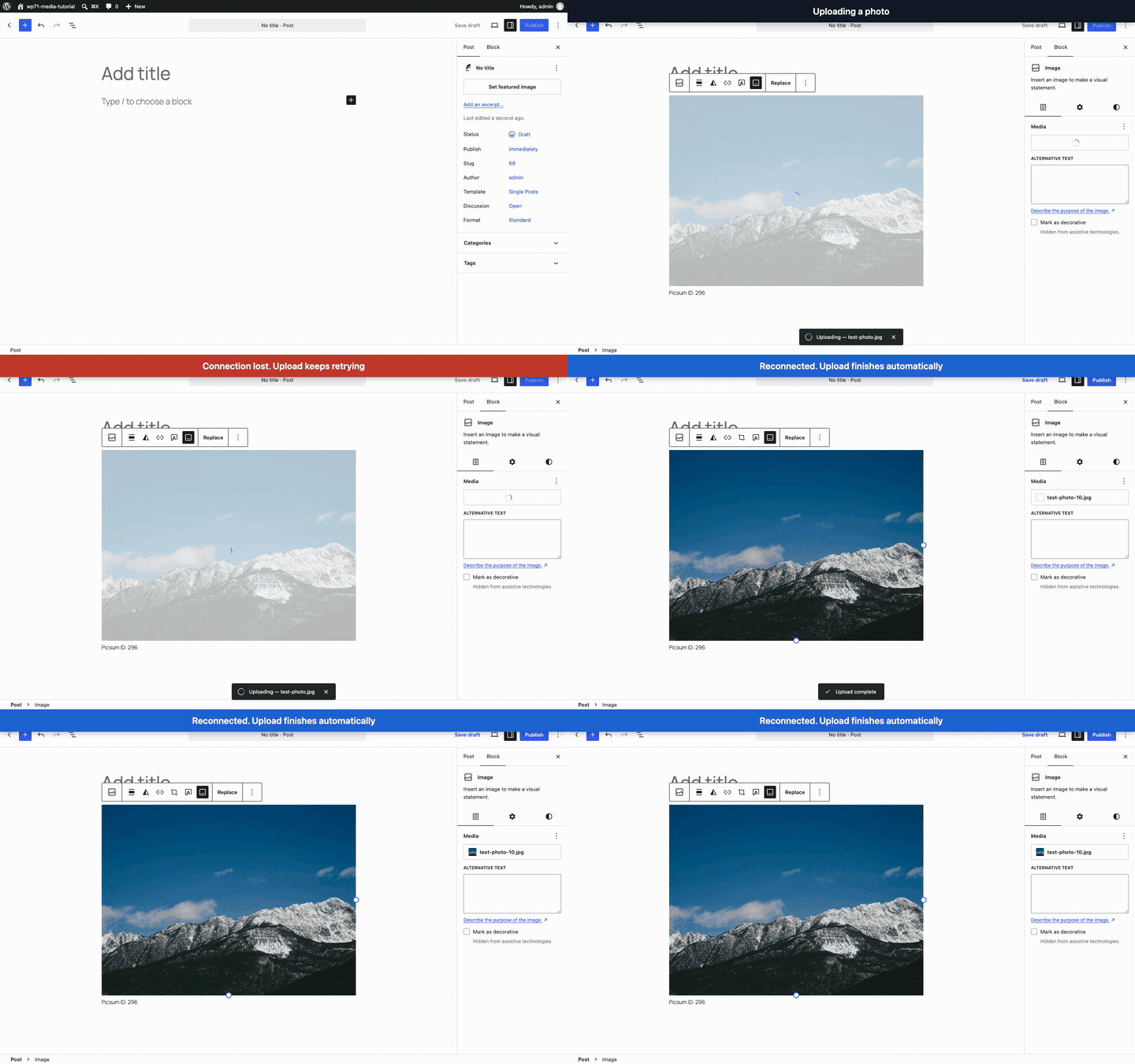
One thing to be straight about. A lot of this happens quietly in your browser as you upload, and only in certain modern browsers. If yours isn't one of them, WordPress just does the work the old way on your server. You never have to think about it. And this is the part that matters for the rest of this post: it makes uploads nicer, but it is NOT an image optimizer. WordPress still won't go back through the photo library you already have and shrink it. That job is still yours.
The image editor is easier to use
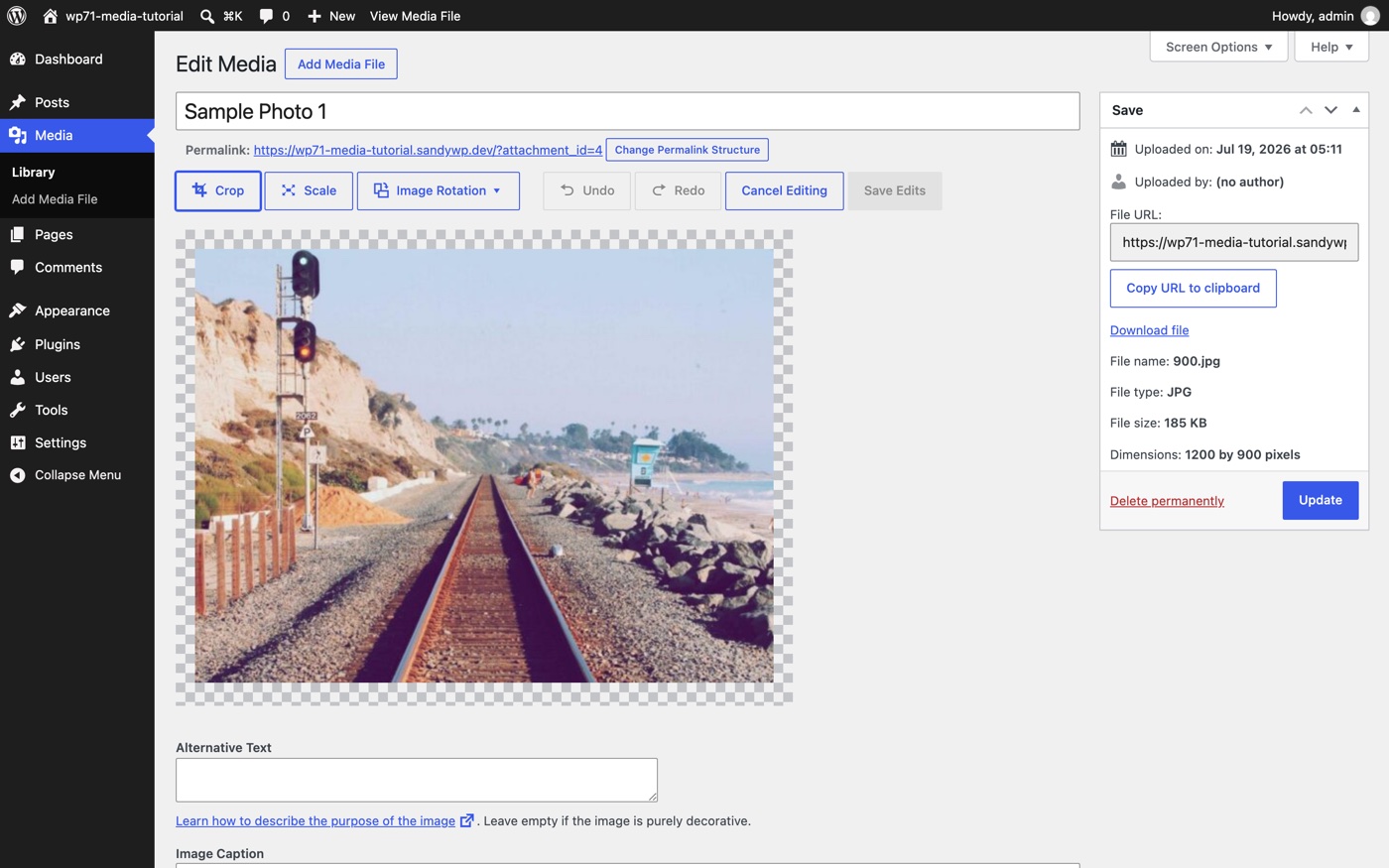
Crop a photo, straighten it, edit its details. Those tools used to feel scattered across the screen. 7.1 pulls them into one cleaner spot. There's nothing new to learn. It just gets out of your way.
The Media Library finally scrolls
Ever go hunting for an old image and keep clicking "Load more"? That's gone. The Media Library now loads more images as you scroll, the way the rest of the web already works. On a site with a few hundred photos, that alone is worth the update. Want the old behavior back? It's a single toggle in your profile settings.
Galleries build themselves
Building a gallery gets easier too. WordPress can pull in the images already attached to your post and drop them right where you're working, so you're not clicking around looking for the pictures you just uploaded.
What 7.1 doesn't do (and why it matters)
7.1 makes your images nicer to work with. Good. It doesn't touch two things that decide whether your site stays fast as it grows.
First, it won't optimize the library you already have. Like we said, 7.1 is not an optimizer. It doesn't walk through your existing photos and compress them to claw back space.
Second, it doesn't change where your images live or how fast they load. Every photo still sits on your hosting and gets served from your server. That's fine with 50 images. It gets painful at 5,000, when pages slow down for visitors and your storage bill starts climbing.
WordPress 7.1 and Infinite Uploads do different jobs. Think of it as a hand-off. WordPress 7.1 makes each image nicer going in. Infinite Uploads takes it from there. It moves your media off your server into cloud storage and serves every file through a CDN. A CDN is like moving your filing cabinets out of one cramped office and into warehouses all over the world, each one close to whoever's asking. Your pages stay fast, your hosting stays lean, and it stops mattering how much you upload.
And for the oversized files WordPress flat out refuses, Big File Uploads lets them through. Together they cover the media problems 7.1 leaves on the table.
When you get WordPress 7.1, and what to do
WordPress 7.1 ships on August 19, 2026. You'll get it the same way you get every WordPress update. A one-click update in your dashboard, or automatically if your host handles updates for you.
Nothing to do right now. And you don't need the beta. That's for developers poking at it early, not for running your business on.
When it does land, do the one thing you should do with any update. Back up first, or update a staging copy before your live site, or let your managed host roll it out. Then get back to work.
A better Media Library is coming, and you barely have to lift a finger for it.
Give your media room to grow
WordPress 7.1 makes your images nicer to work with. Infinite Uploads keeps your site fast and your hosting lean as your library grows. Cloud storage, worldwide delivery, and big-file uploads in one plan.