In This Release
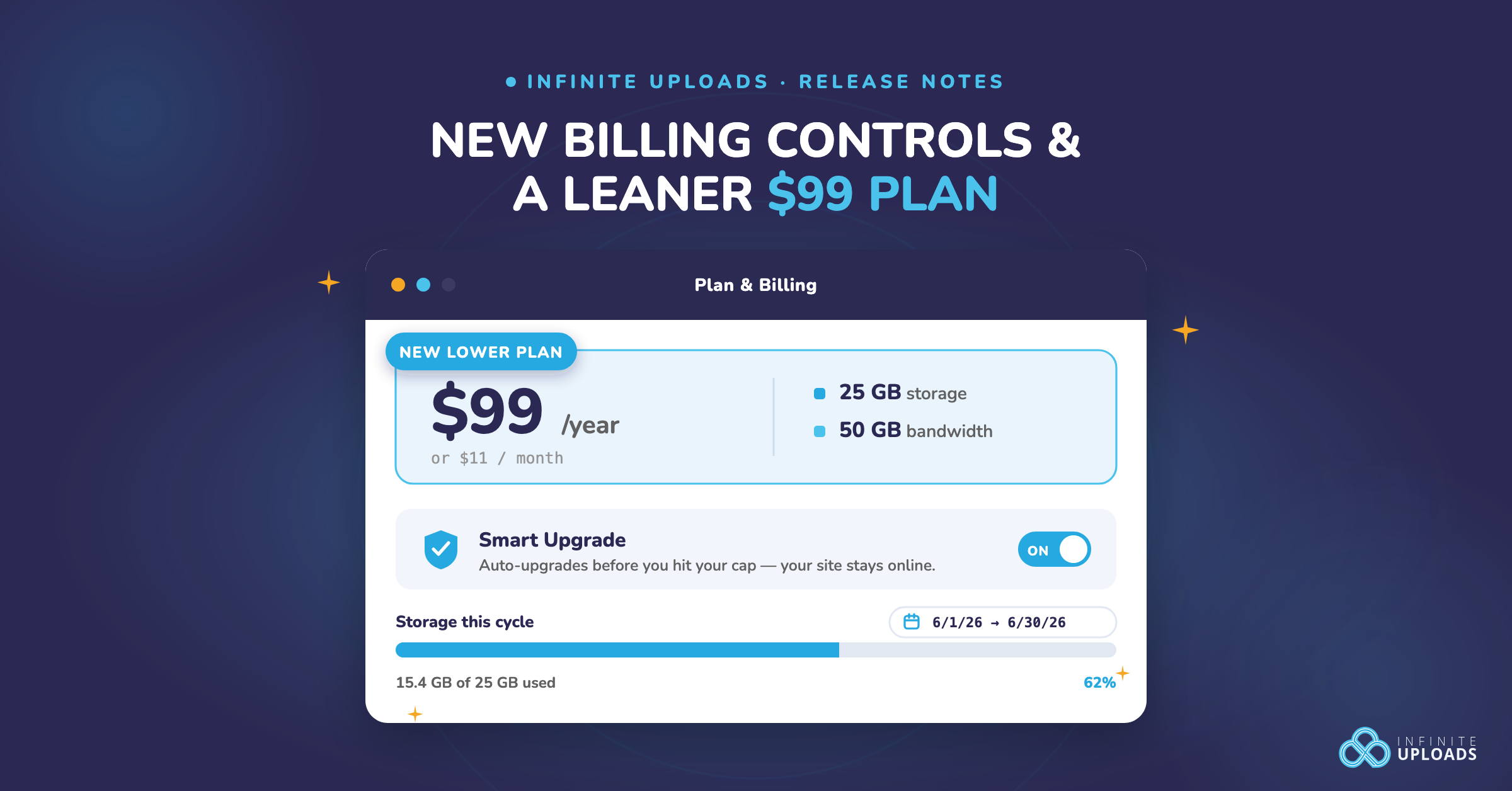
- Smart Upgrade controls. Keep your site online automatically, with a new toggle if you ever need a hard cap on spend.
- A new $99/year plan. 25GB of storage and 50GB of bandwidth for smaller, leaner WordPress sites.
- Billing-cycle dates on your usage charts. See exactly what period every usage number covers.
Your WordPress media library is one of the fastest-growing things on your site. Photos, PDFs, product shots, that one 200MB video the client had to have. All of it eats storage, burns bandwidth, and quietly pushes your hosting bill up. Infinite Uploads offloads that media to the cloud and serves it from a fast global CDN, so your server stays light and your pages stay quick.
Today, we shipped three updates with one theme running through all of them: no surprises. Your site stays online, you pick the plan that fits, and you can always see exactly what you're being billed for. Best part, there's nothing to install. These run on our end, so they show up in your dashboard automatically.
Here's what's new.
1. Smart Upgrade Keeps Your Site Online, and Now It's Yours to Fine-Tune

Smart Upgrade is the one feature we'd tell every customer to keep on. Go over your plan's storage or bandwidth and Infinite Uploads bumps you up a tier automatically, so your images keep loading and your site never goes down. No 404s, no broken galleries, no midnight scramble. It works quietly in the background, and for the vast majority of sites it's exactly what you want.
That's why it's ON by default, and why we recommend leaving it that way. But we heard from a handful of you who need a hard cap on spend, usually agencies watching costs across a stack of client sites. For those cases, you can now turn it off. The control is there if you truly need it.
How it works
- The Smart Upgrade toggle lives in your dashboard, ON by default. Most people never need to touch it, and that's the point.
- If you do turn it off, we'll ask you to confirm first. With Smart Upgrade off, going over your limit means your media stops serving and your site can break. We want that to be a deliberate choice, never an accident.
- Either way, you stay informed. Your usage alerts at 75%, at 90%, and when you go over now link straight to the setting, so you always know exactly where you stand.
Think of Smart Upgrade like overdraft protection on your bank account. Leaving it ON means you never bounce. Your site just keeps running, no matter what. Turning it OFF gives you a firm ceiling, but it only makes sense if you're actively watching the balance. For most sites, keeping it on is the safer, simpler choice.
On by default now in your Infinite Uploads dashboard.
2. A New $99/Year Plan for Lean WordPress Sites
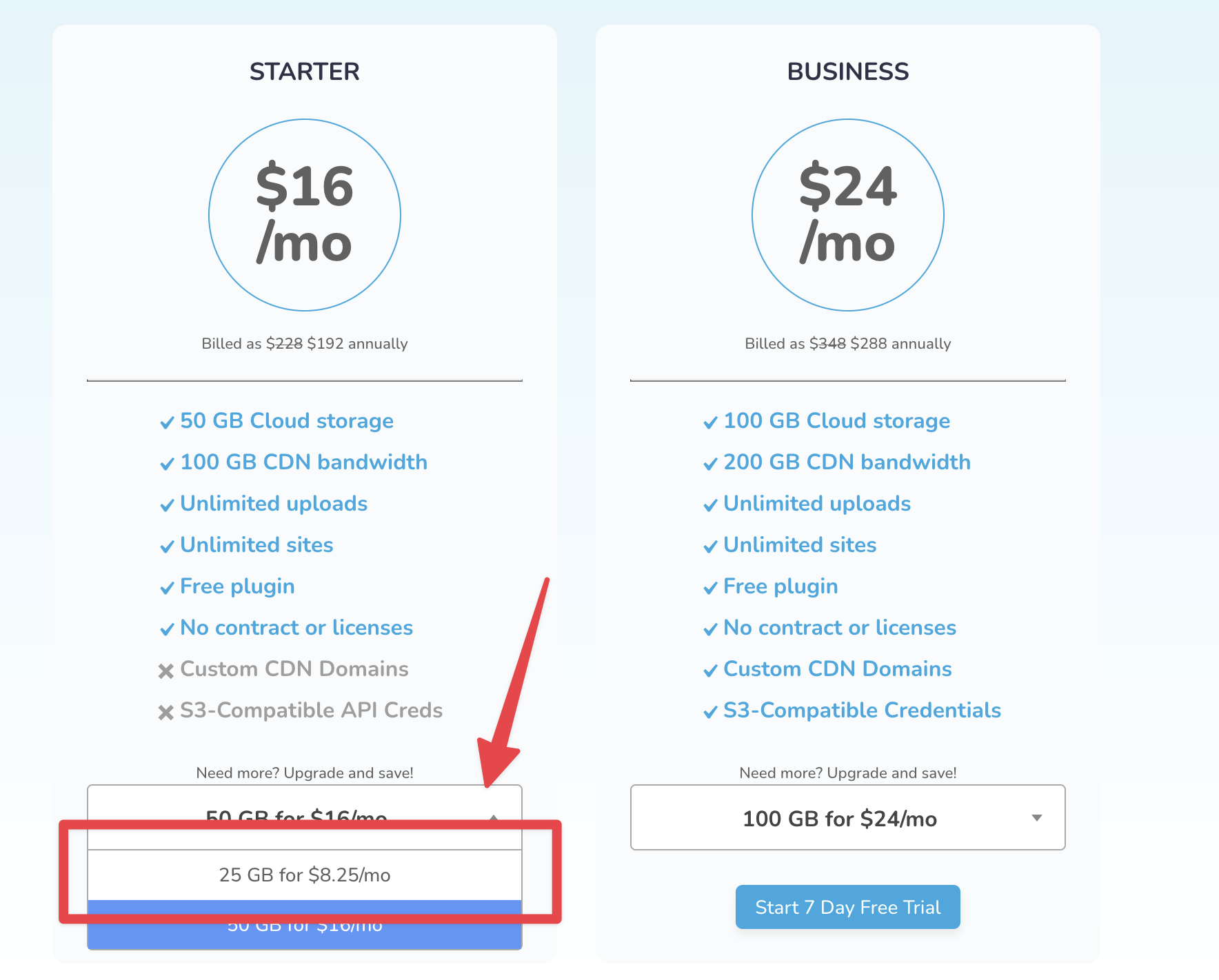
Not every site needs 50GB. Plenty of you are running lean. A blog, a small business site, a portfolio. A few dozen images, a handful of PDFs, maybe one video. For those sites, the current $19/mo Starter plan is more room than you'll ever touch.
So we added a smaller, cheaper option right under the Starter dropdown: 25GB of storage and 50GB of bandwidth for $99/year, or $11/month. Same fast CDN, same reliable cloud offloading, half the storage, lower price. It's the easiest entry point we've ever offered for getting media off your server and onto infrastructure built to serve it.
The $19/mo Starter isn't going anywhere. This just gives smaller sites a door in that matches what they actually use. Start on the plan that fits today, and move up the moment you outgrow it. No penalty, no lock-in.
Available now under the Starter plan in the plan picker.
3. See Your Billing Cycle Right on Your Usage Charts

Ever looked at your usage graph and wondered what window it's even measuring? You're not alone. That one missing detail is exactly why an auto-upgrade can feel like it came out of nowhere.
Now every usage chart shows the current billing cycle right beside it, spelled out plainly: “Usage from 6/1/26 to 6/30/26.” When your storage or bandwidth climbs, you can see exactly where you are in the cycle and whether you're cruising or about to run hot.
It's a small addition. It removes a huge amount of guesswork, and it makes every other number on that page make sense.
Available now on your usage charts.
Why This Matters for Your WordPress Site
Every one of these updates points at the same thing: giving you control over the cost of running a media-heavy WordPress site without giving up speed.
That's the whole idea behind Infinite Uploads. Offloading your WordPress media library to the cloud keeps your server light, which means faster load times and lower hosting costs. Serving it from a global CDN means a visitor in Sydney gets your images as fast as a visitor in Chicago. And because your files no longer live on your host, migrations, backups, and host changes stop being the headache they used to be. Think of it like moving your filing cabinets out of your cramped office and into a warehouse that's closer to every one of your customers.
These three updates layer control on top of that speed. You get the performance and the predictable bill. You shouldn't have to choose.
Frequently Asked Questions
What is Smart Upgrade in Infinite Uploads?
Smart Upgrade automatically moves you to the next plan tier when you exceed your storage or bandwidth, so your media keeps serving and your site stays online. It's ON by default, and we recommend keeping it on. You can turn it off from your dashboard if you need a hard cap on spend, but for most sites leaving it on is the safer choice.
How much does the new Infinite Uploads plan cost?
The new lower Starter plan is $99/year, or $11/month, and includes 25GB of storage and 50GB of bandwidth. It sits under the Starter dropdown, below the existing $19/mo plan.
Should I turn off Smart Upgrade?
For most sites, no. We recommend keeping it on so your site never goes down. With Smart Upgrade off, your media stops serving once you exceed your limit, which can break how your site displays. The off switch is there for the specific case where you need a firm cap on spend, and we ask you to confirm before disabling it. The billing-cycle dates and usage alerts help you stay ahead either way.
Do I need to update the Infinite Uploads plugin to get these features?
No. These updates run on our platform, so they roll out to your account automatically. Nothing to install or update.
Ready to Take Control?
Log in to your dashboard to find the new Smart Upgrade toggle, your billing-cycle dates on every usage chart, and the new lower plan in the plan picker. It's all live and waiting for you. New to Infinite Uploads? Start offloading your WordPress media today and get your media off your server, onto a fast CDN, and under control.
More is on the way. Keep an eye on your dashboard.