If you are...
📉 Running out of storage
👎 Noticing your site slowing down
💰 Getting bullied by your host about overages
...then it’s time for a hosting plan upgrade, right?
Not necessarily!
Welcome to another edition of the Infinite Cloud Loop Newsletter, a resource we create to help you get the most out of your WordPress investment.
Today, we’re tackling a big mistake we see website owners making over and over again: shelling out money to upgrade a hosting plan when there are smarter, cheaper ways to keep your site running smoothly.
In fact, addressing this exact issue is one of the reasons we created Infinite Uploads.
Why offload your media to Infinite Uploads instead of breaking the bank to upgrade to a more expensive plan?
The short answer:
The same reason you'd upload your smartphone's camera roll to the cloud instead of buying a whole new phone just for more storage.
The long answer? That's what we'll be explaining in today's newsletter!
In today's edition:
[Article] Don’t Upgrade Your Hosting Plan Before You Read This
How We Compare to Storage Costs of Top WordPress Hosts
Don’t Upgrade Your Hosting Plan Before You Read This!

If you're on the fence about upgrading to a more expensive hosting plan, we get it—prices are sky high, and comparing storage plans can get intimidating fast.
Before you jump into a big purchase, it's important to explore your options.
The truth is, even jumping a single plan can dramatically increase the cost of your hosting service.
And most hosting services come bundled, so even if you just need a little more storage you are forced to pay for extra services you don’t need.
In this post, we are looking at the most common reasons you may start looking to upgrade to the next plan and provide simple low and no-cost solutions that will keep your site performing at top speed while you scale.
Whether you’re scaling a non-profit to reach more people or working to keep costs low while selling products online, these tricks make your site incredibly scalable and allow you to share more content faster without switching to a more expensive hosting plan.
Infinite Uploads vs. Top WP Hosts: How Much 💸 Can You Save?
If you want to keep your files without upgrading your Hosting plan, you should move the WordPress upload directory to cloud storage. Install the Infinite Uploads plugin and you can offload all your media files with a click.
With the combination of your preferred WordPress host & Infinite Uploads, you can enjoy significant savings while still ensuring excellent performance.
Read on to see how we compare to storage costs of top WordPress hosts:
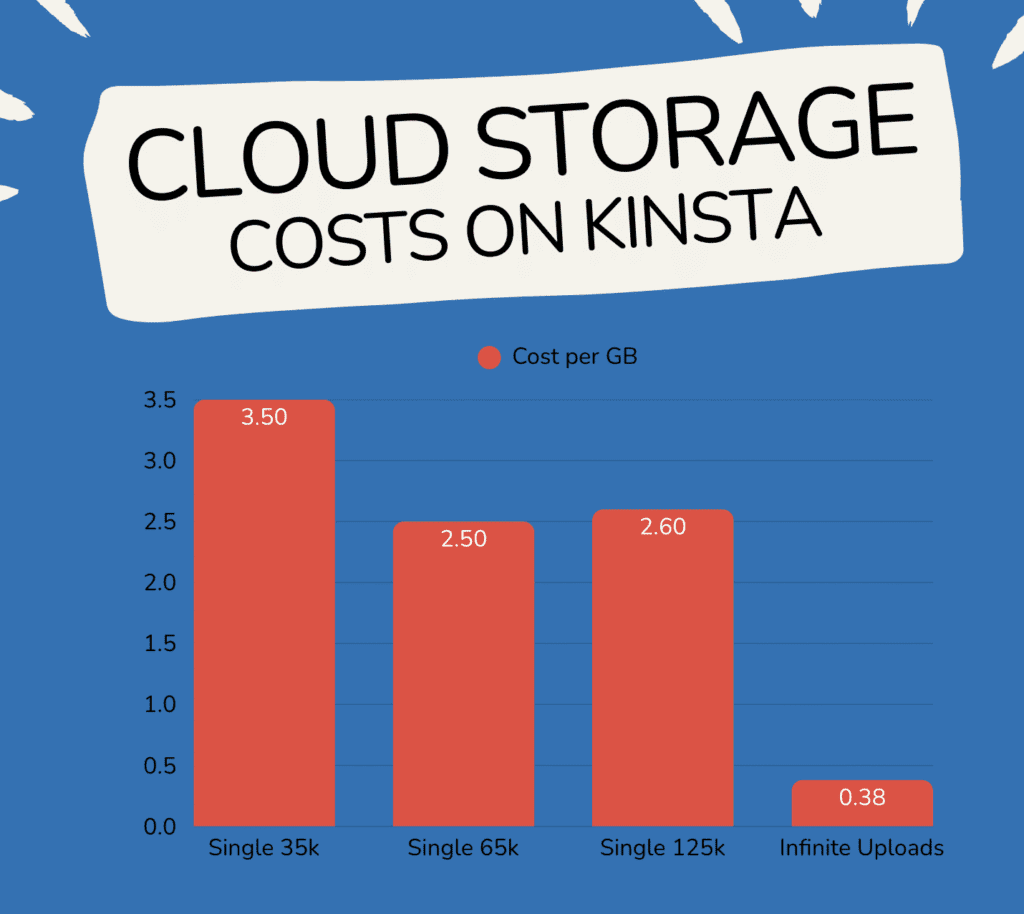

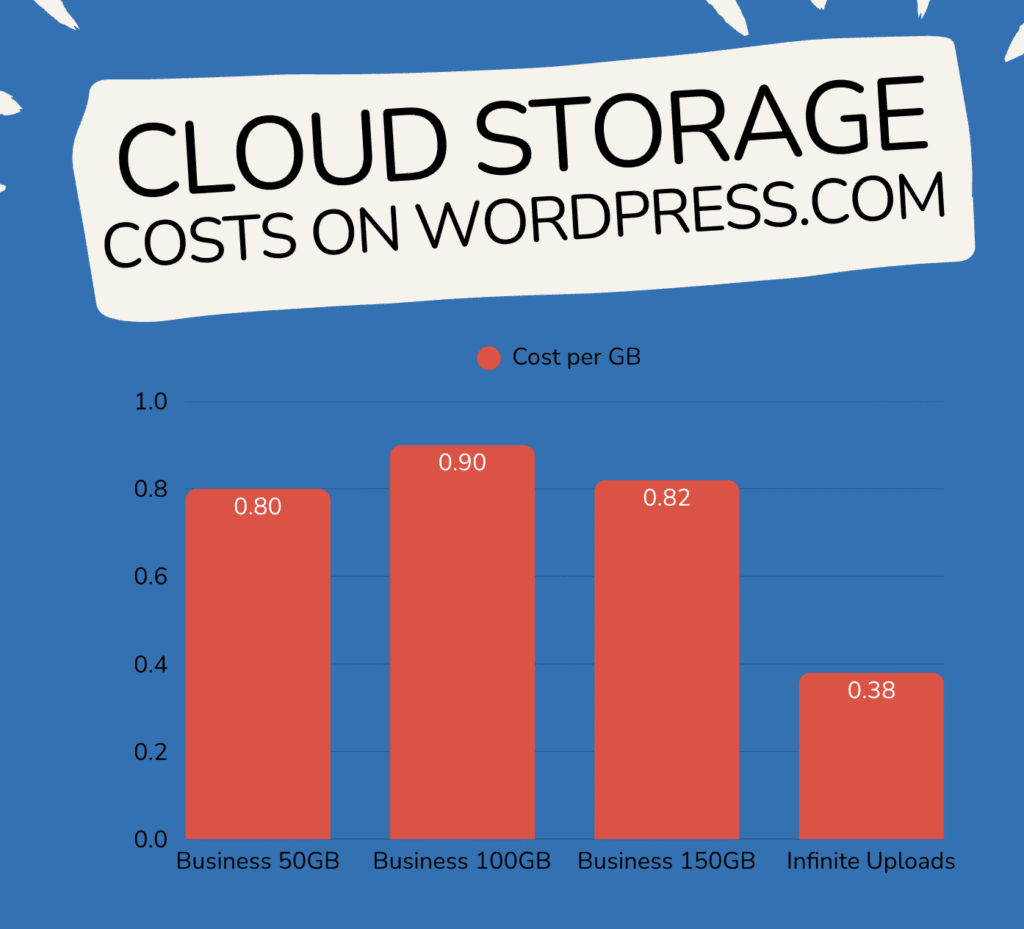
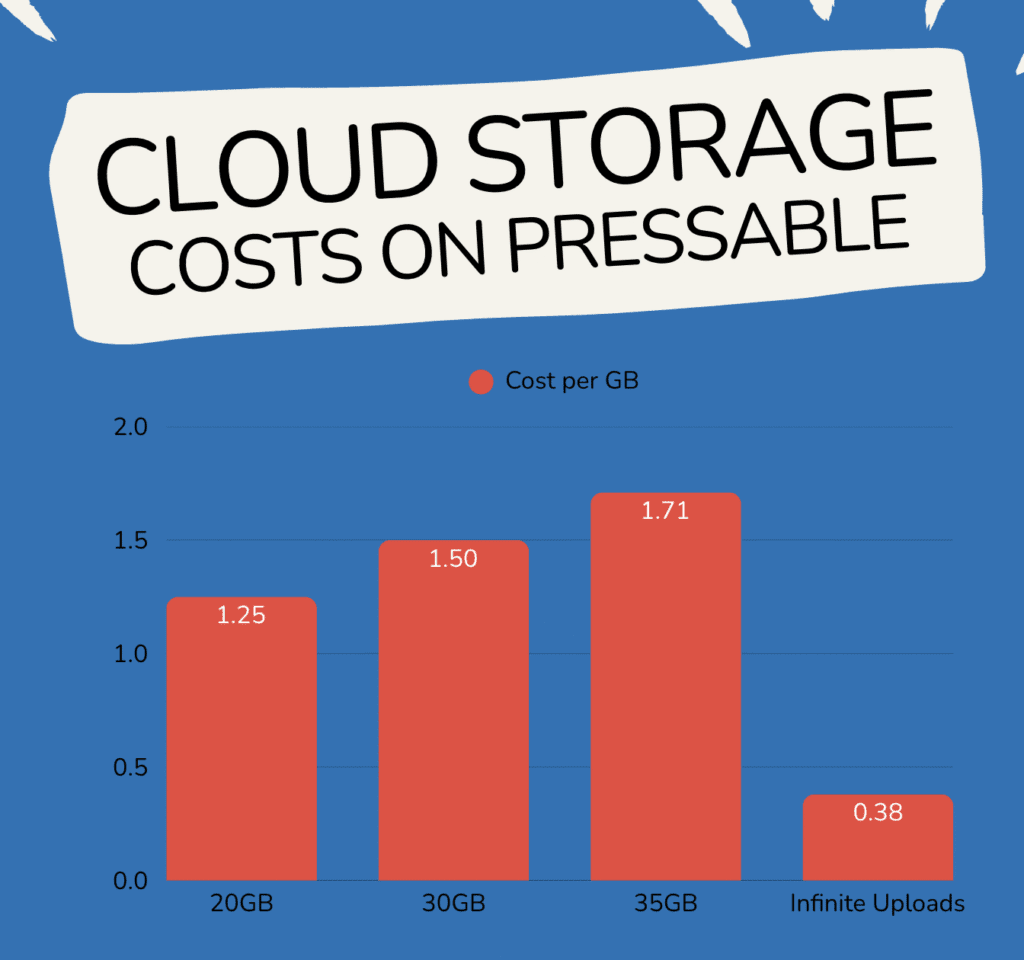
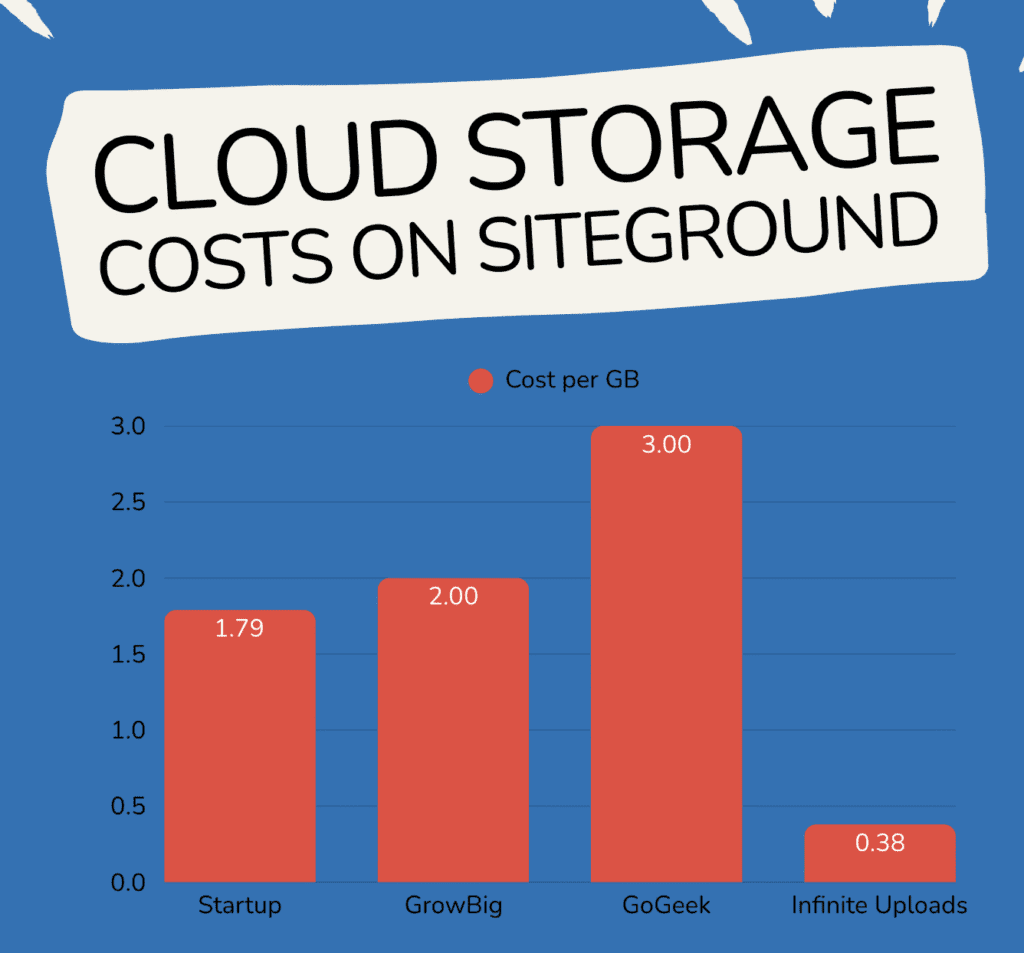
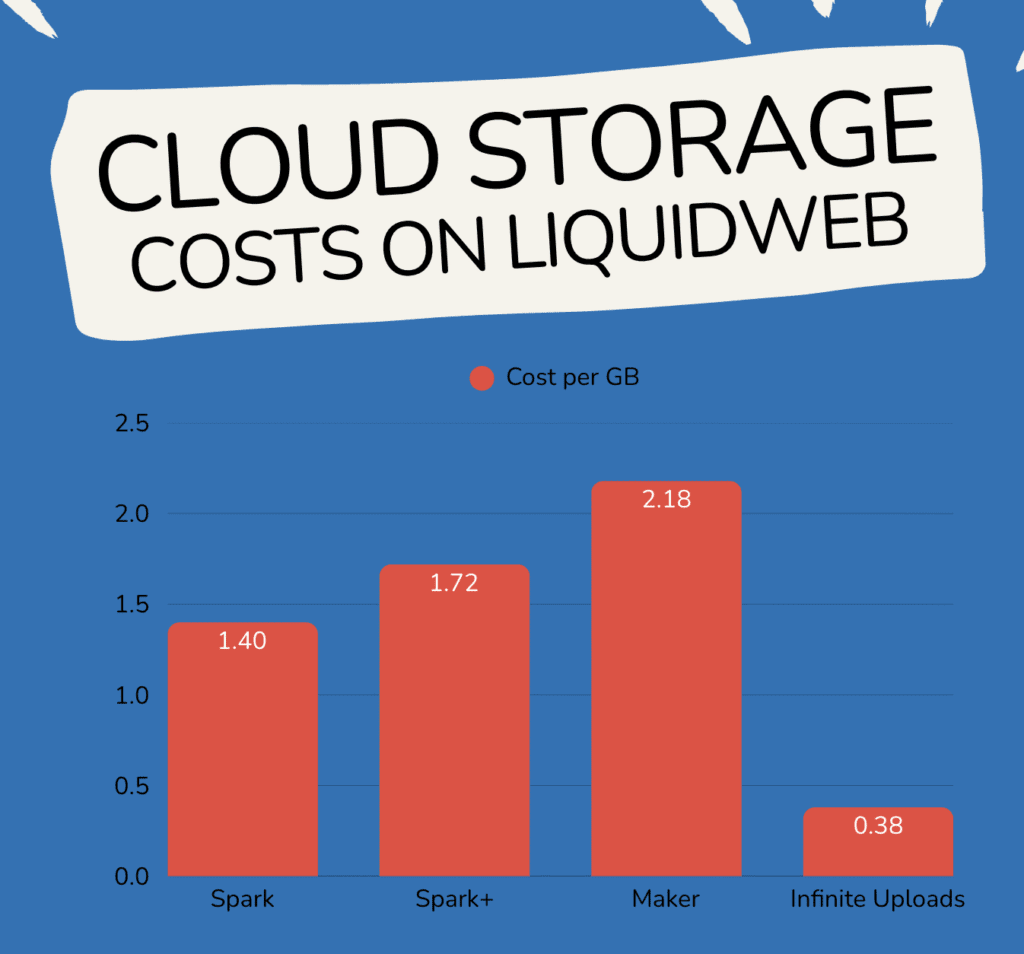
You trust your WordPress hosting provider and you're happy with its quality. But let’s be honest—its storage limits can be a real pain, especially if your site is packed with high-quality media.
You may feel stuck between a rock and a hard place.
Do you endure frustrating storage limits and sluggish performance or break the bank by purchasing an expensive hosting plan upgrade?
We hope this newsletter has helped you realize that you don't have to choose either of these options.
By supplementing your hosting provider with Infinite Uploads, you can:
✅ Enjoy premium speed and performance
✅ Avoid hitting storage limits
✅ Save a LOT of money

When you offload your media library with Infinite Uploads, you CAN get the best of both worlds. This process may sound complicated, but it couldn't be easier—our cloud solution will do all the work for you.
As always, our team is happy to answer any questions you may have—we're here to help.
Until next time,
Blake Whittle
Owner, Infinite Uploads & ClikIT
| And don't forget, you can upgrade to Infinite Uploads at any time to get unlimited file storage and remove any size restrictions. Click here to learn more.P.S. Did you know, even if you're not an Infinite Uploads customer, you can earn as much as $3,300 in recurring passive income through our affiliate program? |