If a picture is worth a thousand words, then just how powerful is a video? 🤔
Video can make (or break) your website.
But you don't need me to tell you that—I'm sure you've experienced it firsthand.
How great is it when a website greets you with a crisp video that tells you everything you need to know about a brand or product—all without stopping to buffer once?
On the other hand, how fast do you click away when a video lags? Two seconds? Three?
That’s why we built powerful video storage, encoding, and streaming right into Infinite Uploads—the same cloud platform you already trust for your WordPress media. ☁️
Our video cloud lets you upload, optimize, and deliver videos directly from your WordPress Media Library—no third-party hosts or complex integrations required.
Read on to see how Infinite Uploads helps you manage and stream videos seamlessly from the cloud, plus expert tips to get the best performance and quality for your site’s video content.
In today's edition:
Cloud Video Encoding, Storage, and Streaming for WordPress w/ Infinite Uploads
How to Optimize Videos for WordPress Website
Speed Up WordPress Videos with Adaptive Bitrate Streaming
Cloud Video Encoding, Storage, and Streaming for WordPress with Infinite Uploads
Video made simple.
Upload any size video file directly to the Infinite Uploads video cloud from your WordPress dashboard and have it automatically encoded into multiple resolutions for seamless streaming.
Our built-in cloud storage and global CDN ensure your videos are available anytime, anywhere—no buffering, no lag, no complicated setup.
Here are a few problems Infinite Uploads solves...
😖 Encoding and embedding videos properly in WordPress is a pain — especially for your non-technical clients.
💸 YouTube or Vimeo bring up issues with protection, ads, privacy, branding, or are just plain expensive!
👩💻 There’s finally full support for encoding videos into the most compatible formats and multiple resolutions, so they’re optimized for every visitor.
Say goodbye to the limitations of traditional video hosting and hello to endless possibilities with Infinite Uploads Video Cloud! 👋
Our Guide to Optimizing Videos On Your Website
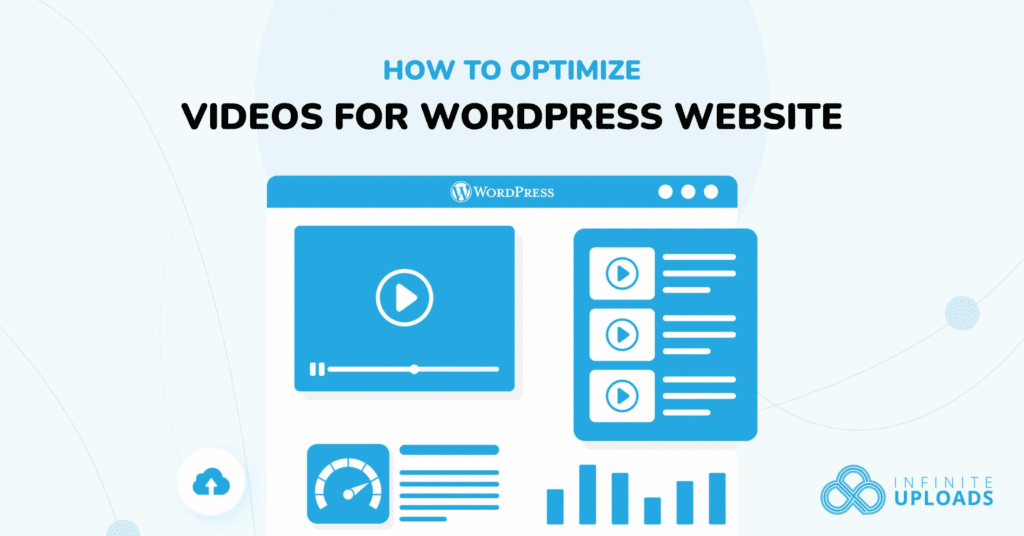
Videos boost:
📈 Engagement
📈 On-page time
📈 Conversions
📈 Your site's look
But along with these perks, videos introduce optimization challenges such as:
- Loading speed
- Hosting
- Errors
- SEO
In this guide, I teach you how to optimize videos for your site using all the best practices I've learned over my decade of experience. Read on if you're ready for your videos to look great, load fast, and rank well on search engines!
Speed Up WordPress Videos with Adaptive Bitrate Streaming

Adaptive bitrate streaming is your golden ticket to top-notch videos on your site, ensuring every viewer enjoys a seamless experience, regardless of their device or internet speed.
By dynamically adjusting video quality in real time, this technology caters to a wide array of bandwidths and screen sizes, from smartphones to high-tech setups.
Imagine a ladder. 🪜
Each rung represents a different quality of video; adaptive bitrate streaming effortlessly moves up or down this ladder based on what your viewers can handle at any given moment.
Let’s dive into how you can leverage this technology to elevate your site’s video streaming capability.
If you've been curious about Infinite Uploads, now is the perfect time to start leveraging this plugin to bring your site to the next level.
Fast, high-quality video can be the difference between someone clicking away in seconds or sticking around to engage with your site.
Check out Infinite Uploads Video Cloud: it’s built to make sharing videos on your site more effortless than ever before.
Until next time,
Blake Whittle
Owner, Infinite Uploads & ClikIT
| And don't forget, you can upgrade to Infinite Uploads at any time to get unlimited file storage and remove any size restrictions. Click here to learn more.P.S. Did you know, even if you're not an Infinite Uploads customer, you can earn as much as $3,300 in recurring passive income through our affiliate program? |