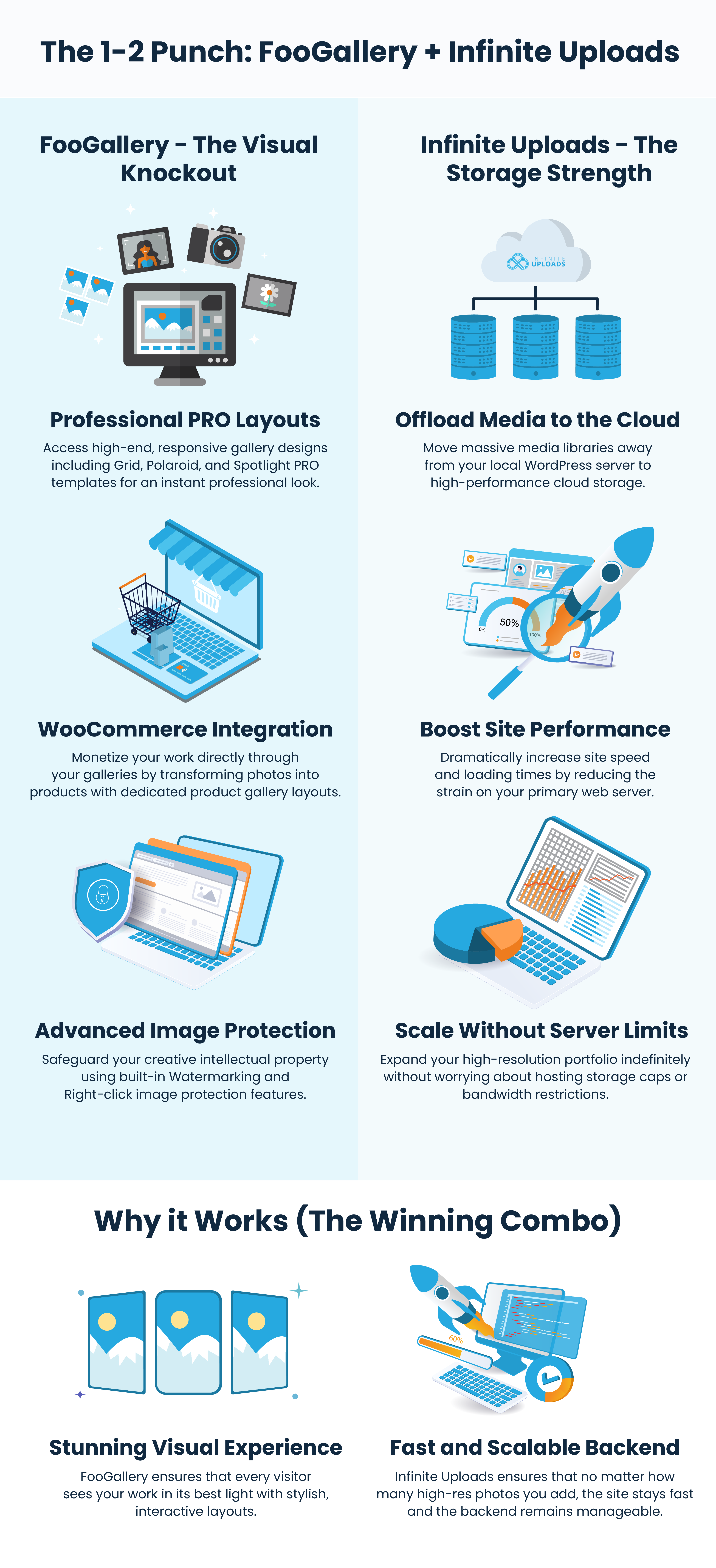
Displaying your photos as a gallery on your website is as easy as choosing a WordPress Gallery Plugin. But that may not seem so easy when there are over 3,100 gallery plugins in the WordPress plugin directory. We’re narrowing the options to the best four. But first, why do you need a gallery plugin in the first place?
Why Do You Need a WordPress Gallery Plugin?
Of course native WordPress has a gallery block. But that option may be too limited for the website you’re building. Photographers have different needs than real estate professionals, for example.
Contractors are a perfect use case for a photo gallery on their site, and frankly more in the industry should use them. Each of the portfolio projects should include before and after photos. Vacation rentals and boutique hotels are another great use case for a professional WordPress Gallery Plugin. Whenever the photos do most of the selling, you just can’t afford to have second best.
Artists and craftspeople who sell products on their own website instead of relying upon Etsy are another great use case for a WordPress Gallery Plugin. Lucy’s Painting Gallery is a great example of a paint party provider (and an Infinite Uploads customer) who relies on a gallery to show her party themes.
What Is the Best Gallery Plugin for WordPress?
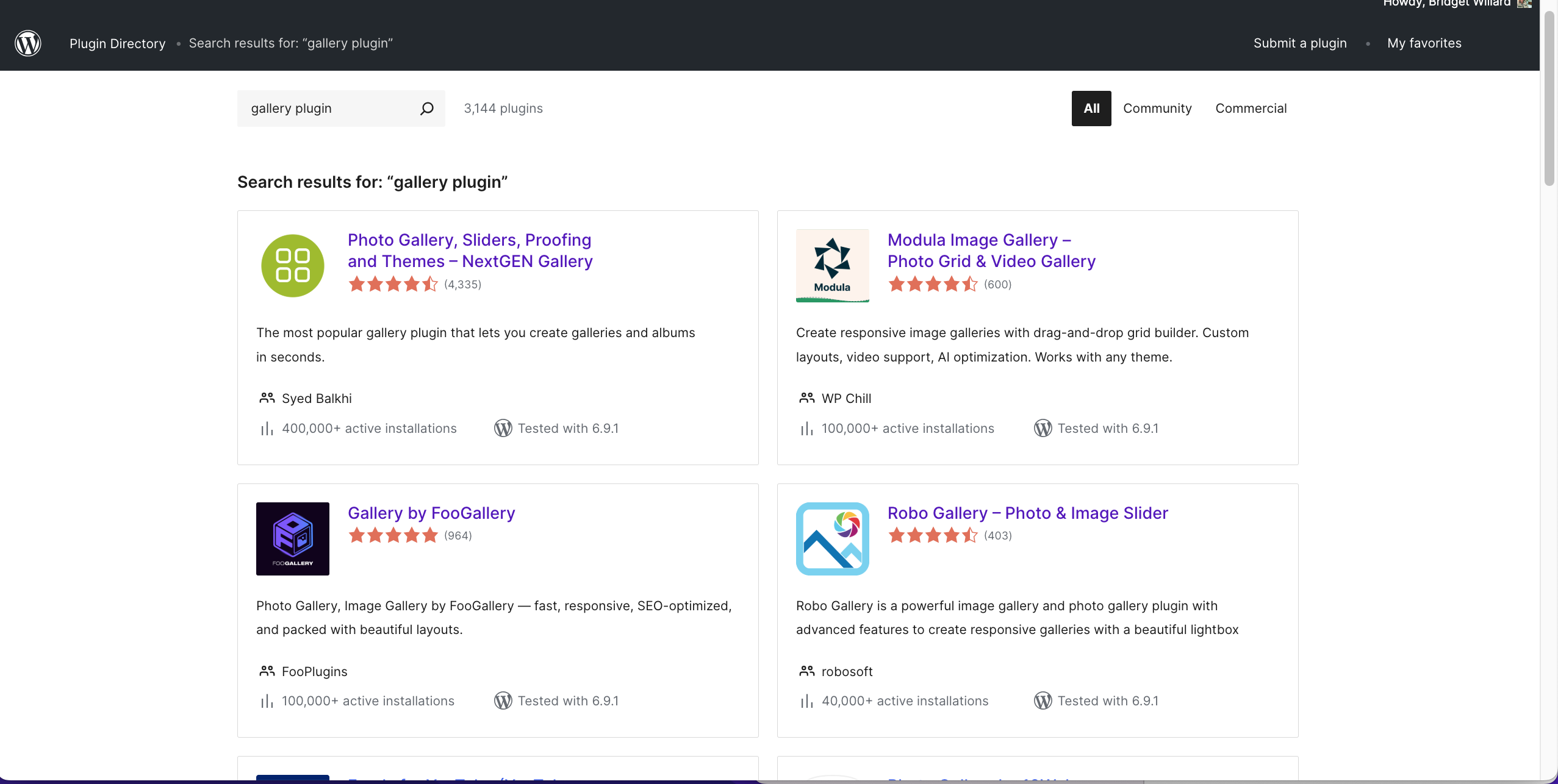
If you do a search for a “gallery plugin” in the official WordPress Plugin Directory, you’ll likely see results based on WordPress’ own search algorithm. A few scrolls and you’ll see that the results aren’t necessarily sorted by the top installs. Nor are they sorted by the top ratings. Nor by the number of ratings.
Our results for this search show:
- Photo Gallery, Sliders, Proofing and Themes – NextGen Gallery by Syed Balkhi (400,000+ active installs, 4335 ratings, 4.5 stars)
- Modula Image Gallery – Photo Grid & Video Gallery by WP Chill (100,000+ active installations, 600 reviews, 4.5 stars)
- Gallery by FooGallery by FooPlugins (100,000+ active installations, 964 ratings, 5 stars)
- Robo Gallery – Photo & Image Slider by robosoft (40,000+ active installations, 403 ratings, 4.5 stars)
A second search showed different results. You could also search on Google for the “best WordPress gallery plugin” with over 11,000 results. But then how do you choose?
How Do People Really Choose WordPress Plugins?
DIY website owners usually have their WordPress plugins chosen for them depending upon the bundles available with their Managed WordPress Host. They may also see WordPress Plugin ads on YouTube, maybe Google the best results, write a post in a DIY Website Facebook group, or ask a friend.
Most often, WordPress agencies and seasoned freelancers have their favorite core plugins based upon a number of factors. These include (in no specific order):
- An old fashioned Google Search
- Asking their favorite AI solution (ChatGPT, Gemini, Grok, etc)
- Bundle, developer, or lifetime license offers.
- How well they know the plugin developer(s).
- If they met the plugin developer(s) at a WordCamp or WordPress Meetup.
- Their experience with support for the plugin.
- Trust factors for the plugin company.
- Visibility on a Podcast like the WPMinute, WP Builds, or Plugins A to Z.
- Newsletters like Influence WP, The WP Minute, and others.
- Company blogs from companies they trust like Infinite Uploads.
- Recommendation from another developer they trust.
“If it isn’t broke; don’t fix it” is often the way developers and agencies choose and maintain their tech stack in WordPress.
At Infinite Uploads, we already know you love photos and videos and understand their importance to telling your brand’s story online.
Let’s not bury the lede too far, though. We have a favorite WordPress Gallery Plugin and it’s FooGallery.
Top WordPress Gallery Plugin – FooGallery
Like most WordPress plugins, FooGallery has a freemium model. There is a free version in the WordPress directory and also three paid tiers. The first tier starts at $6.99/mo, the second includes video at $9.99/mo, and the third includes WooCommerce integrations for $13.99/mo.
For as low as $85/year (billed annually), you get a professional WordPress Gallery Plugin that helps showcase your product photos. That’s the kind of reasonable pricing that we know you’ll love. Pricing is even lower if you pay by the year.
Core options that come in the free plugin include a lightbox as well as the standard layouts like masonry, justified, carousel, tiled, responsive, and more. They are performative and natively support lazy load. According to one of their five-star reviews, they are the only gallery plugin that has an album option in the core (free) version.
FooGallery has extensive settings and allows you to set a default gallery. If you’re a big fan of masonry like me, then that’s a job done for you.

From the sidebar, you can create a gallery. I’m not going to lie, I’m impressed with the UX of this plugin. You don’t have to guess what each type of layout means or what it will look like and you can easily see which ones will require an upgrade.
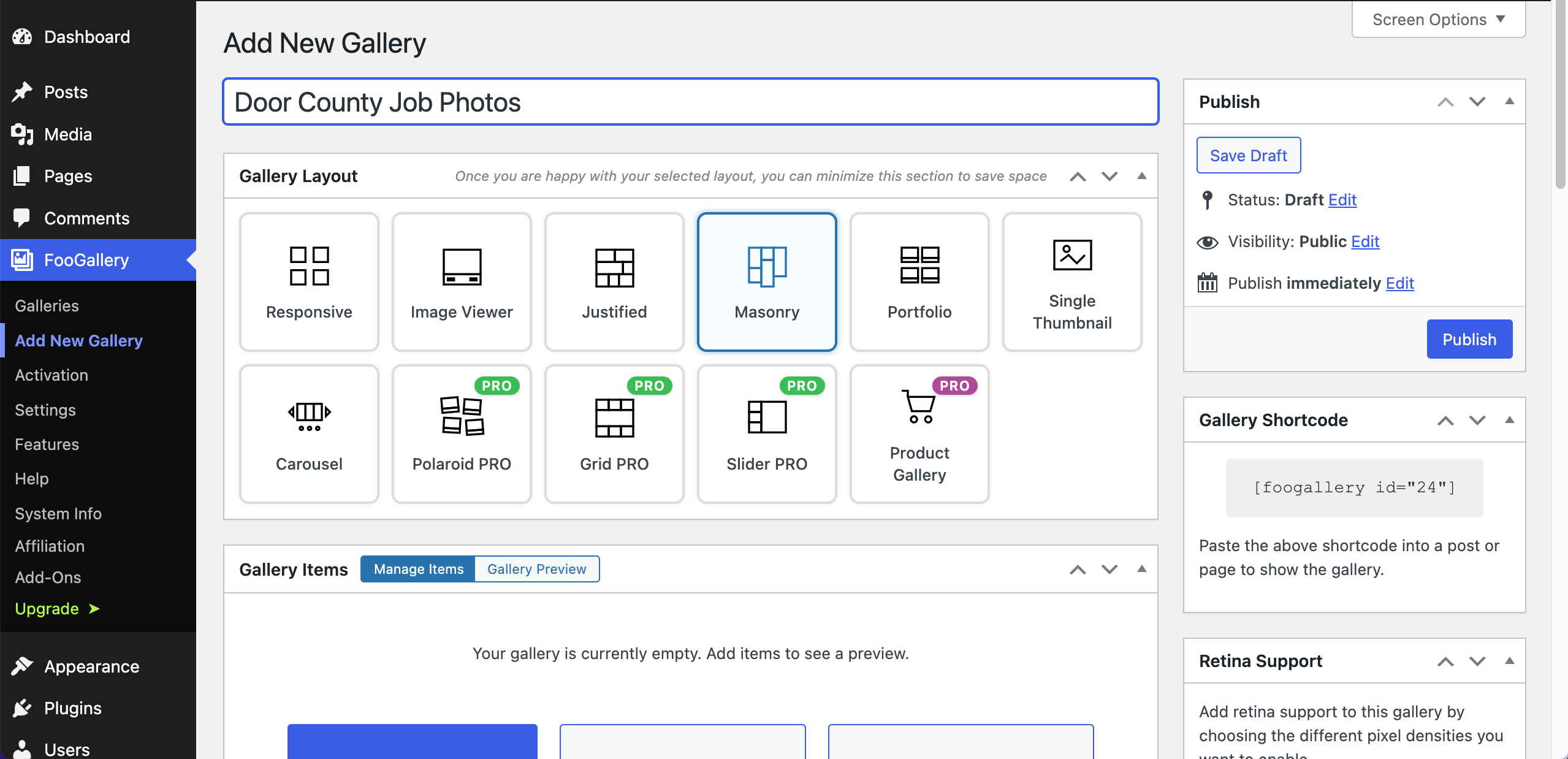
FooGallery has retina support and uses a shortcode like most of the other WordPress Photo Gallery Plugins. Where this plugin wins is by allowing native block commands like /foo to find the FooGallery block.

From there it will allow you to select the gallery you created and it is inserted in the WordPress page (or post) in WYSIWYG. Meaning, you see how it will look right there. That’s a huge step forward with bridging tech and future-proofing your website.

As with all things luxury, quality is shown in the detail. And we like what we see.
- Do you want to show video along with photos? FooGallery has your back.
- How about importing EFIF data into your gallery? Check.
- Dynamic galleries? Yes, please!
With large photo galleries (upwards of 8,000 photos) FooGallery has paid plans that allow for detailed search by categorizing photos with media tags and filters. This is a huge time saver because you don’t have to recreate a gallery every time you want to add a photo. The Pro Expert Plan even allows photographers to export their EXIF data from their cameras.
As far as the company goes, FooPlugins, we’re impressed with their history, current developers, and the trajectory of the company. In the WordPress economy, those are important factors to consider when future-proofing your WordPress website as well as those for your clients.
According to their own research, “Independent tests show FooGallery loads in ~1.2s with lazy loading enabled, outperforming competitors in Core Web Vitals.”
“FooGallery is a good choice if you want to manage galleries with lots of images. The free version has pagination and one-click page creation from the gallery edit page. It also has a gutenberg block to easily insert a gallery into any content. Then if you have a budget, then the pro expert version adds filtering, including multi-level filters. And a built-in search. It also has a Bulk Taxonomy Manager to manage image tags much easier.” bradvin1980 r/WordPress
| WordPress Gallery Plugin Comparison | ||||
| Feature/Detail | FooGallery | NextGEN Gallery | Modula | Responsive Lightbox |
| Primary Target Audience | Any image-heavy site that prioritizes business goals, design excellence, and options-first settings | “Heavy-duty” photographers | Non-technical users wanting stylish, fast galleries. | No data in sources |
| Nickname | The Versatile All Rounder | The Professional’s Powerhouse | The Modern Stylist | No data in sources |
| Video Support | Yes (Infinite Uploads support coming soon). | No (exclusively for image galleries). | Yes (supports image and video galleries). | No data in sources |
| Key Specialized Features | WooCommerce integration, watermarking, and image protection. | Client proofing, physical print fulfillment (WHCC), and Lightroom integration. | Custom drag-and-drop grid builder and Speed Up extension | No data in sources |
| Starting Price (Yearly) | $33.99 (PRO Starter). | Not specified, but its entry-level plan is cheaper than Modula’s. | Not specified, but its middle/top-tier plans are cheaper than NextGEN’s. | No data in sources |
| Lifetime License | Yes (starts at $139.99). | Yes (offers a plan for unlimited sites). | Yes (but site limits still apply). | No data in sources |
| Ease of Use | Simple, intuitive interface. | Functional, but can feel “needlessly complex” for small galleries. | Highest rated for ease of use for “zero to stylish” galleries. | No data in sources |
Solid WordPress Gallery Plugin – Modula
Modula Image Gallery by WP Chill is a drag and drop WordPress gallery plugin that claims to be both user-friendly and intuitive. Their reasoning is, if you can drag and drop, you can make a photo gallery with Modula. Most of the photo galleries we’ve worked with are drag and drop, though.
Intuitive and user-friendly are relative terms. It assumes a level of experience or inexperience with software. With that said, you can always test out how a plugin works (at least the free version with TasteWP.com) before you commit to the price.
When I tested Modula on a TasteWP install, I went directly to the Sample Page where I wanted to insert my gallery. I typed backspace (/) to show the dropdown of available blocks, but it wasn’t there. Instead, I had to go to the Modula menu on the sidebar of the WordPress dashboard to create the first gallery and/or photo album.
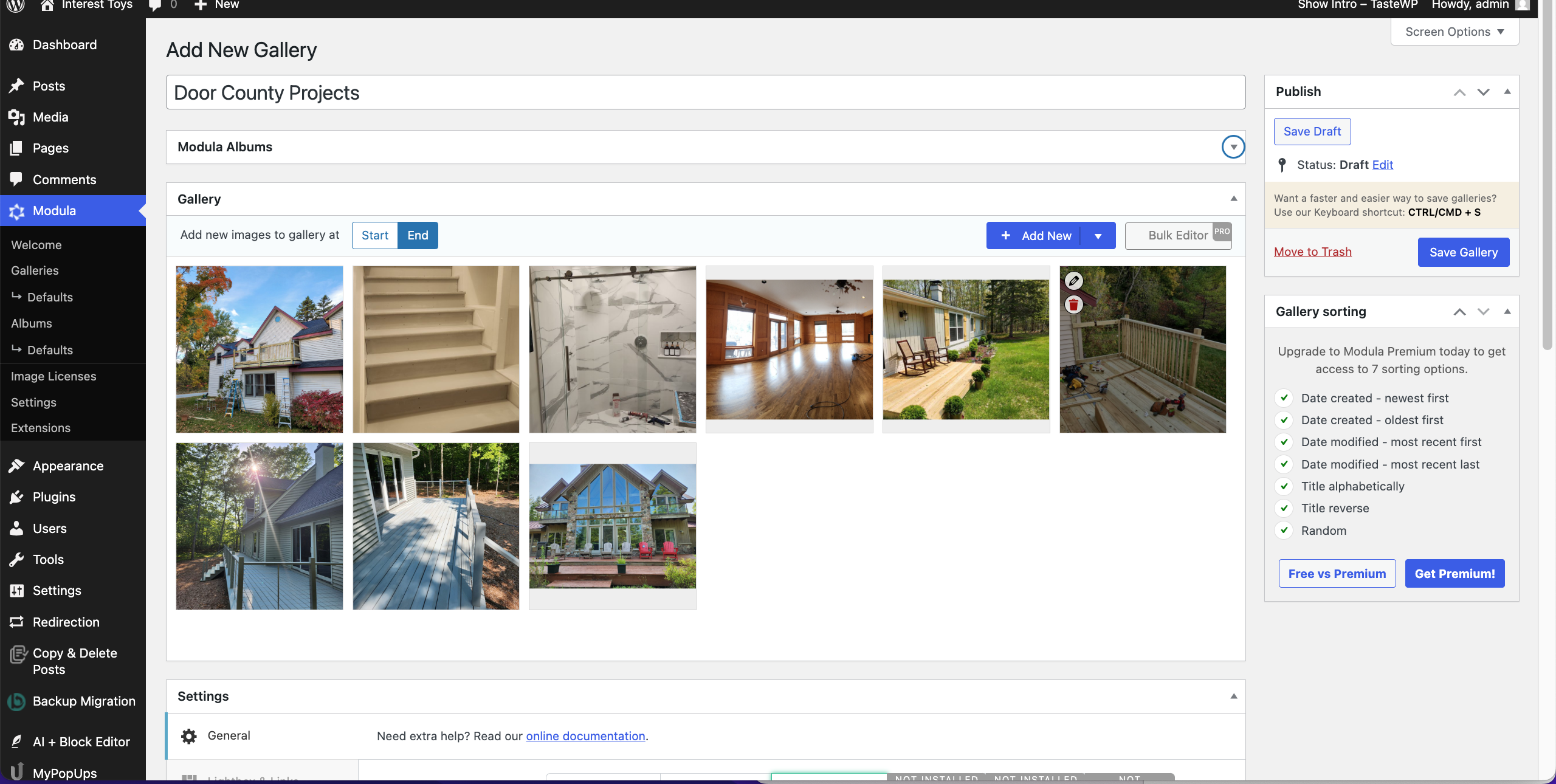
As an experienced WordPress user (19 years), this didn’t seem user-friendly to me. In order to display the gallery on the page (or post for that matter), you need the shortcode block.

“It also includes 12 cross-browser compatible hover effects that work perfectly on mobile devices along with six easy-to-use lightbox styles that seamlessly integrate with your galleries.” Liquid Web
Like the other top WordPress Gallery Plugins, it has a freemium model where the core plugin is free in the WordPress directory and there are three pricing tiers: $39, $69, $99. Though it doesn’t say, those are yearly prices. They self-report over 5 million downloads and have over 100,000 active installs. The core version includes: creative, custom, and masonry. Most lightbox features require a paid version.
Lightweight WordPress Gallery Plugin –
Responsive Lightbox & Gallery
Responsive Lightbox & Gallery (not an easy-to-remember name, but probably a SEO name) is a lightweight gallery plugin with 100,000+ active installs and has over 1,800 5-star reviews. The core (free) version includes basic grid, masonry, and galleries with the ability to choose a default in the settings.
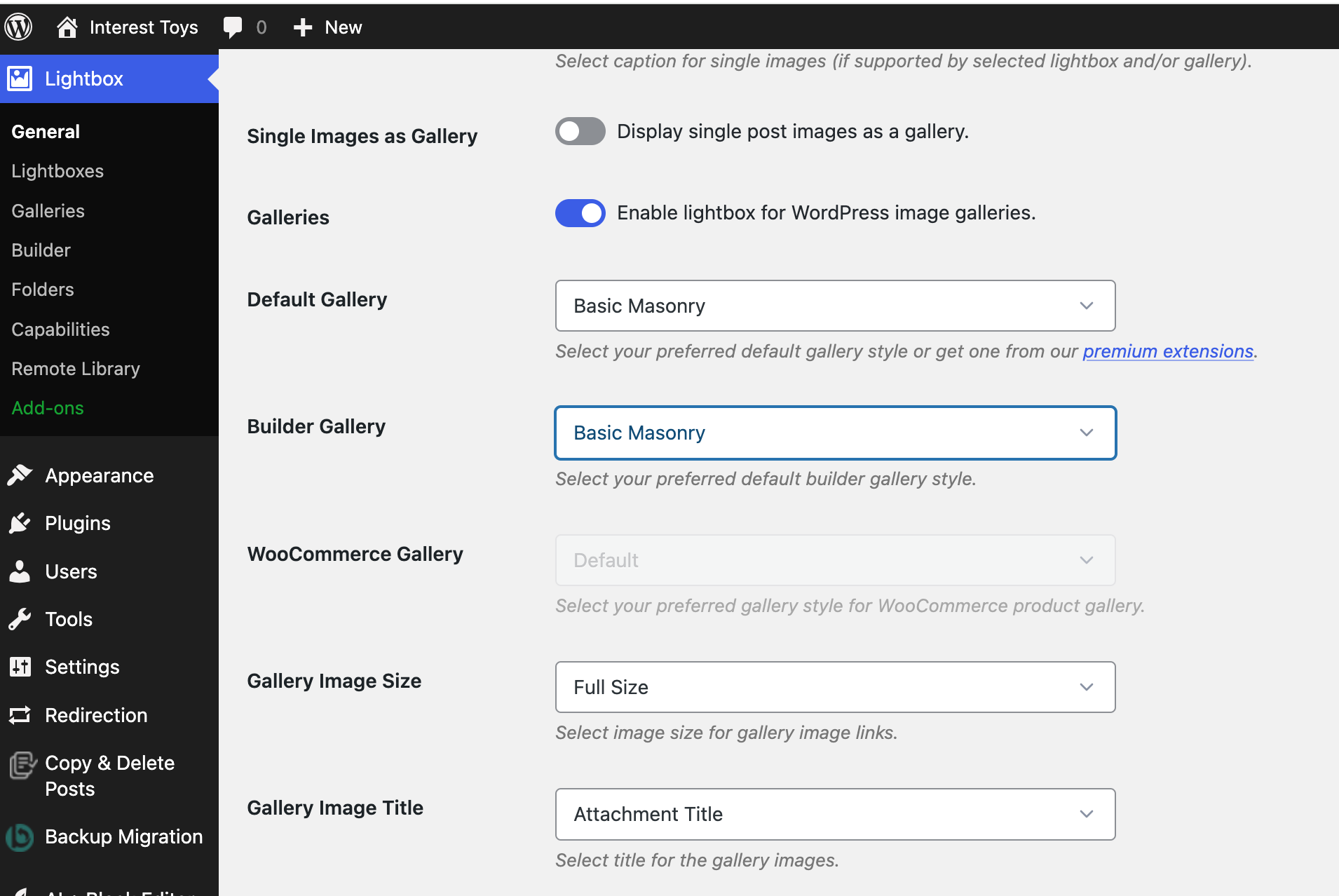
Testing this after Modula, I wanted to check how the / command works. It does pull up another gallery option, and you need to select it from the Lightbox galleries. Create your galleries first following the options in the sidebar. This isn’t like using Gutenberg blocks where you create the gallery right on the page.
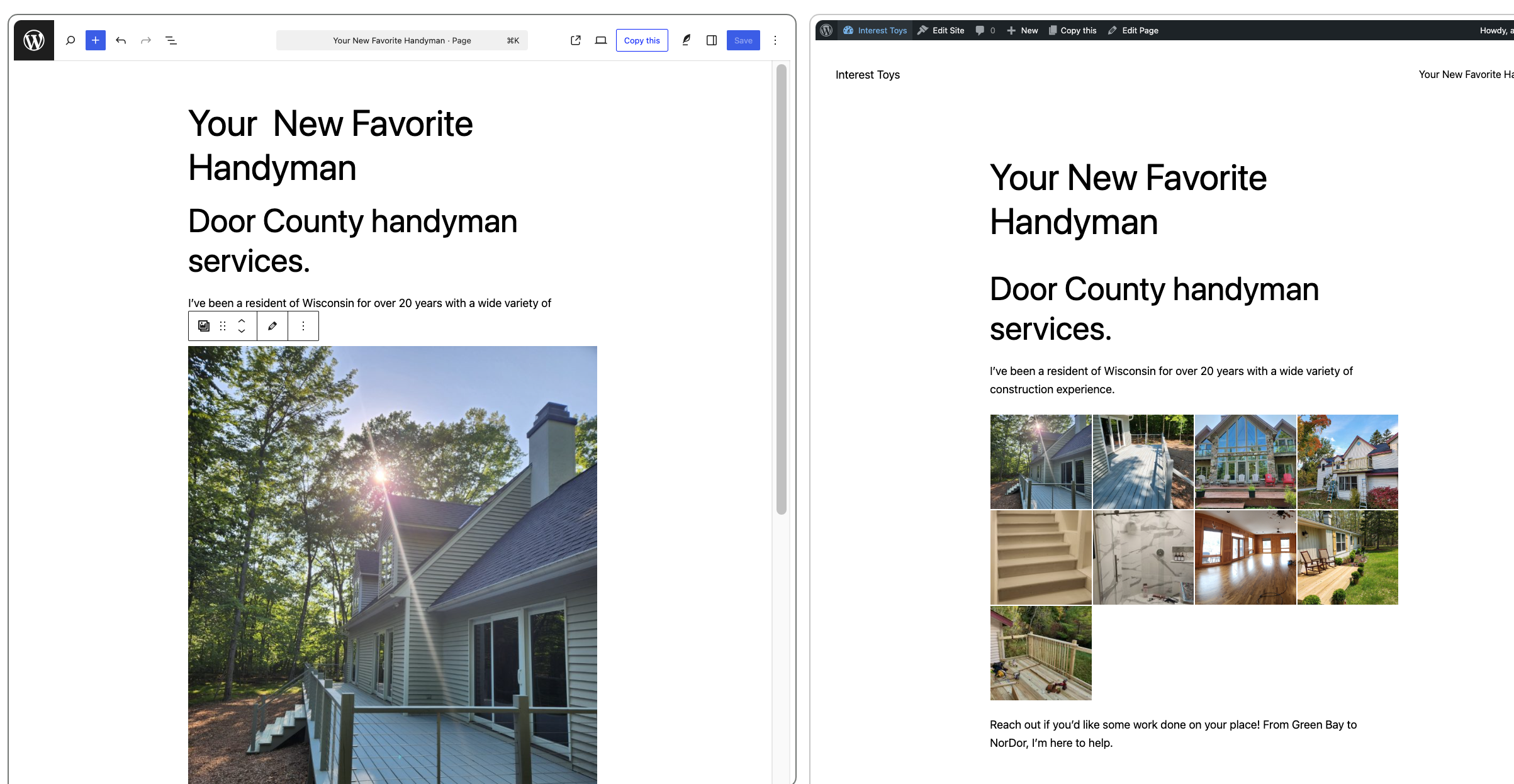
One surprise, though, is that when you insert the gallery only one image shows. I had to check to see if I really did select all of my images.
This plugin by dFactory also follows the freemium model. Instead of licensing tiers, however, they offer premium extensions to round out the features that you really need.
These extensions include masonry layout ($29/yr), justified ($29/yr), several different lightboxes ($29/year, and more. It’s definitely a different way to charge, but it may work out for you if you don’t want a lot of bloat and you know what style gallery you need.
“Works great. Easy to set up and configure. Perfect lightweight but flexible plugin for displaying images in blog posts. Switched to this after a different lightbox plugin went EOL.” AMC4x4
Popular WordPress Gallery Plugin – NextGen Gallery
NextGen Gallery is a popular WordPress photo gallery plugin with 400,000+ active installs and great reviews. They self-report 1.5 million downloads a year in their WordPress directory listing. You’ll see it cited often in r/WordPress as well as WPBeginner, WP101, and more.
This is an Imagely product led by Syed Balkki, geared toward professional photographers who’d like to both showcase and sell their photographs. If you read our article on building a website for photographers, you know that Sunshine Photo Cart is our choice for this functionality.
NextGEN runs on the freemium model with a free version in the WordPress directory and several paid versions. Pricing starts at $69/year through $199/year. There is no monthly option for this plugin, which may be a deterrent if you’re not quite sure it’s for you.
The core (free) version includes three gallery styles: slideshow, thumbnail, and imagebrowser which is lightbox-ish. To be frank, if you need a WordPress photo gallery and you like NextGEN, you’ll probably want one of the paid versions. Masonry, Mosaic, and Tile are part of the Plus plan that is $99.50/year.
Make WordPress Photo Galleries Better With Infinite Uploads
Photo gallery plugins are a great way of showcasing your visual work whether it’s construction, photography, real estate, or even multi-city events. Without a solid plan to offload your media library, you will run into failed uploads, maxed out storage, and hidden hosting fees.
If you’re an event manager who is expecting upwards of 8,000 photos to hit the site within a short period of time (weddings, conferences, concerts), you need more than just a WordPress Photo Gallery – you need Infinite Uploads.
Infinite Uploads stands in the technical gap with unlimited photo uploads, big file uploads, video management and viewing, and offloading the WordPress media library to save you on hosting fees, bandwidth woes, and storage limits.
Who wants to deal with increasing your hosting costs, crashing your website, or uploads that just won’t upload?
Infinite Uploads delivers competitive pricing for storage, bandwidth, and video hosting in a single unified plan. In most cases, we beat the competition on cost. We know we beat them on value and service.