Managing a WordPress site gets harder as your media library grows. Images, videos, and media files may seem small initially, but over time, they can slow down your site and increase your hosting costs.
Cloud storage can reduce pressure on your WordPress server, but it does not automatically make pages faster or replace a backup strategy. Performance depends on the WordPress integration, URL rewriting, CDN delivery, cache behavior, and image or video processing. Backups need their own retention and restore plan.
In this guide, I’ll break down the best kinds of cloud storage types and the cloud storage services that you can use to host your media files.
Four Cloud Services WordPress Users Often Confuse
- Backup storage keeps point-in-time copies for restoration. It is not automatically the live source for Media Library files.
- Media-library offload copies or moves attachments to cloud storage and updates delivery URLs while preserving the WordPress attachment workflow.
- CDN-backed media delivery caches or serves files closer to visitors. A CDN does not necessarily remove originals from the WordPress server.
- WordPress video hosting adds video-specific storage, transcoding, streaming, and playback capabilities beyond ordinary object storage.
Image-heavy sites should also compare edge image optimization, while large editorial teams may need media-library folders. Review plans and included usage after estimating storage, requests, transfer, transformations, and video bandwidth.
Methodology note: provider and pricing references were reviewed August 12, 2026 during the SEO audit. Cloud prices vary by region, tier, request volume, transfer destination, currency, and promotions; confirm the provider’s live calculator before purchasing.
What to Look for in the Best Cloud Storage for WordPress
Choosing a storage solution isn’t just about raw space. Here are key factors (framed as benefits) to consider:
- Scalable Pricing: Pricing is a very critical issue for cloud storage. Consider opting for pay-as-you-go plans. It will allow you to pay only for what you use, saving you upfront costs.
- WordPress Setup: Try to choose tools with plugins or APIs that connect quickly with WordPress without any technical modification.
- CDN Support: A built-in or easily added CDN ensures that files load quickly from servers located near your visitors. Without a CDN, it will be much slower.
- Strong Security: Look for encryption, backups, and compliance policies (like GDPR) to keep data safe. You don't want to lose your data by offloading it.
- Reliable Support: Without proper support or documentation, transferring data can become complicated for you. Good documentation and responsive help matter when you encounter file or setup issues.
Benefits of Using Cloud Storage for WordPress
Storing your media files in the cloud is hardly just about saving space. It also makes your whole site faster, safer, and easier to manage. Here are some of the benefits you'll have when you switch to cloud media storage:
Faster Load Times
In cloud storage, data starts loading more quickly because high-speed cloud servers and CDN begin delivering the media files. You can fetch your media from data centers near them. Therefore, the content appears almost instantly, even if it's streamed to the other part of the world.
Less Server Stress
Offloading media significantly lowered my web host’s workload. CPU usage and disk I/O on my server dropped as it no longer had to deliver every image or video. This means your WordPress PHP processes can focus on generating pages and the necessary files of the website.
Easy Scaling as You Grow
With pay-per-use cloud storage, you will never worry about running out of space. Whether you need more storage or bandwidth, it can scale up automatically. So, you don't need migrations or expensive server upgrades. The cloud handles growth as the site’s media library keeps growing.
Safe Backups & Recovery
Cloud storage doubles as an off-site backup for media. You can have an extra layer of protection by keeping copies of uploads on a separate platform. Even if your website security gets breached, the media files remain safe.
Better Media & Video Delivery
Offloading videos to specialized hosts improved streaming quality and reliability. Large media files, such as high-res images or 4K videos, no longer choke your server or slow down pages. Instead, they will be delivered through networks built for media delivery. It will provide smooth playback and downloads for your users.
Best Object Storage for WordPress
Object storage services store very large amounts of data in buckets using an object-based model. Unlike a conventional hard drive, object storage addresses files as objects through APIs and does not provide WordPress integration by itself.
Object storage solutions are particularly built for performance and scalability. So you can offload your images, videos, PDFs, and other media files to be served from those storage and often with a CDN service.
Here, I will share some of the top object storage solutions and explain how they integrate with WordPress.
1. Amazon S3
Amazon S3 (Simple Storage Service) is one of the most popular and reliable object storage platforms from AWS. It’s known for extreme durability. Amazon claims 99.999999999% durability and global scalability.
In practice, this means your files are safely stored across multiple facilities, and you can scale from a few GBs to petabytes without changing setup.
To use it with WordPress, you create a bucket in your AWS account and connect it with a plugin like WP Offload Media. Once configured, your uploads automatically copy to S3, and
WordPress rewrites file URLs to serve them directly from S3 or through a CDN like CloudFront.
Setting up an AWS account, bucket, and IAM keys takes some effort. But after that, everything is effortless. You upload as usual, and S3 handles the storage and delivery.
Amazon S3 Key Features
- Handles large media libraries and high traffic with ease.
- Strong permissions, encryption, private buckets, and signed URLs.
- Permissions, retention rules, and file versioning.
- Works with many WordPress plugins thanks to its S3 API.
- Storage is cheap, but it can get expensive considering the traffic.
Amazon S3 Pricing
Amazon S3 Standard uses a pay-as-you-go model. You only pay for what you store and serve, with no upfront commitments.
- Storage cost: $0.023 per GB per month.
- Data transfer (egress): $0.09 per GB to the internet (100 GB free each month)
- Requests: About $0.40 per 1 million GET requests
If you store and fully serve 100 GB of files in Amazon S3, your total monthly bill is approximately $11.30. This rate applies to the first 50TB; then it decreases slightly.
2. Google Cloud Storage (GCS)
Google Cloud Storage (GCS) is Google’s version of Amazon S3. It’s a durable, scalable object storage built on the same network that powers Gmail and YouTube.
GCS is a strong choice if you already use Google Cloud, but it also works well on its own. GCS is reliable, fast, and often slightly cheaper than AWS in some regions.
Setting up GCS is just like other object storage solutions. Just create a bucket, get the necessary credentials (usually a JSON key file) and connect it with WordPress plugins. WP Offload Media supports GCS directly, and WP Stateless is a free WordPress plugin built for GCS.
Once configured, all your WordPress media uploads will be automatically transferred to GCS. You can also serve your data directly or through CDNs like Google Cloud CDN.
Google Cloud Storage Key Features
- Saves cost using different types of media classes.
- Buckets span multiple data centres in different regions.
- Google Cloud IAM, signed URLs, encryption by default.
- User-friendly console and excellent performance.
- Works with WP Offload Media, WP-Stateless, gsutil CLI, and via S3-compatible API.
Google Cloud Storage Pricing
Google Cloud Storage uses a pay-as-you-go model. You’re billed only for the storage you use and the data you transfer, with no upfront commitments required.
- Storage cost: $0.020 per GB per month (regional).
- Data transfer (egress): $0.12 per GB to the internet (first 1 TB).
- Requests: About $0.40 per 100,000 Class A operations, and $0.40 per 250,000 Class B operations.
So, if you store and fully serve 100 GB of files in Google Cloud Storage Standard, your total monthly bill is approximately $14.00 (includes $2.00 storage + $12.00 egress). Request costs are typically low unless you have very high API usage.
3. DigitalOcean Spaces
DigitalOcean Spaces is a developer-friendly object storage service with simplified, predictable pricing. It was designed to be an easy alternative to AWS S3 for those who value clear billing.
DigitalOcean Spaces is S3-compatible, meaning it has an almost identical API. Simply point to the Spaces endpoint and API keys to use AWS SDKs or WordPress plugins, such as WP Offload Media.
In fact, WP Offload Media provides direct support for Spaces, making it easy to use as an offload target. You can set up Spaces for WordPress by creating a bucket (“Space”) in the DO control panel, then treating it like an S3 bucket in your offload plugin.
DigitalOcean also comes with a built-in CDN (powered by Fastly). You enable it with one click, and your files are delivered globally at no extra cost, aside from the bandwidth.
DigitalOcean Spaces Key Features
- Flat pricing avoids surprise bills.
- Works with most S3-based plugins and tools.
- Ceph replication and redundancy boost availability and durability.
- Improves global performance at no added fee.
- Built-in global CDN powered by Fastly with one-click activation.
DigitalOcean Spaces Pricing
DigitalOcean Spaces uses a straightforward, flat-rate subscription model. You pay a fixed monthly fee, receiving bundled storage and bandwidth with no hidden extras.
- Base subscription: $5 per month, which includes:
- 250 GB of storage across all Spaces buckets
- 1 TB of outbound data transfer (egress).
- Additional storage: $0.02 per GiB per month beyond the included 250 GiB.
- Additional egress: $0.01 per GiB beyond the included 1 TiB.
- Requests (API operations): Included.
- Inbound data (uploads): Free.
If you store and fully serve 250 GiB of files using DigitalOcean Spaces, your total monthly bill is $5.00, since both storage and egress are covered under the base plan.
4. Wasabi Hot Cloud Storage
Wasabi is a low-cost, S3-compatible storage service known for its reasonable and flat-rate pricing. The pricing makes Wasabi attractive for WordPress sites with heavy download requirements, such as those with podcasts, video, or large media libraries.
Wasabi only charges you for the storage used. And there are no charges for downloads or API calls. It's also super easy to set up.
Just create a bucket in Wasabi, select a regional endpoint (e.g., s3.us-west-1.wasabisys.com), and connect it to WordPress using plugins like WP Offload Media.
Wasabi doesn’t include a CDN, but you can use Cloudflare or another CDN. However, Wasabi enforces a 90-day minimum storage period per file, so deleted files before that still incur charges.
Wasabi Key Features
- Flat rate storage pricing, no egress or request fees.
- Drop-in replacement for S3 with the same tools and plugins.
- Unlimited downloads don’t raise costs.
- “Hot storage” with speeds similar to S3, no retrieval delays.
- Scales easily in 1 TB increments with no upper limits
Wasabi Pricing
Wasabi Hot Cloud Storage offers a flat-rate, all-inclusive plan at $6.99 per TB per month, covering storage, bandwidth, requests, and uploads with no extra fees.
Best Object Storage Providers for WordPress
CDN-based storage solutions combine object storage and a content delivery network. They often aim to minimize latency and eliminate egress costs by serving content directly from edge locations.
CDN cloud storage is ideal if global performance is a priority. Your assets are effectively stored in the cloud edge and delivered quickly to users everywhere.
Let’s review a few of the top CDN storage options and how they integrate with WordPress.
5. Cloudflare R2
Cloudflare R2 is Cloudflare’s object storage service built for zero egress fees. It doesn't make you pay for downloads like AWS or Google. Thus, it is ideal for WordPress sites with high global traffic, as you can serve unlimited data without worrying about bandwidth bills.
R2 is tightly integrated with Cloudflare’s 330+ edge locations. It ensures that files are delivered from the nearest server automatically. R2 also uses an S3-compatible API, so migration from S3 is also easy. However, not all WordPress plugins natively support it yet.
R2 charges for storage and operations (reads/writes), but not for bandwidth. For most media-heavy WordPress sites, this works out far cheaper than paying for egress fees elsewhere.
Cloudflare R2 Key Features
- Unlimited data transfer out at no cost.
- Supports custom endpoints for migration and integration.
- Files served from Cloudflare’s global network with low latency.
- Can combine with Cloudflare Workers for advanced use cases.
- No vendor lock-in due to free data transfer out.
Cloudflare R2 Pricing
If you store and fully serve 100 GB of files using Cloudflare R2 (Standard), the monthly cost is $1.50.
- Storage: 100 GB × $0.015 = $1.50 per month.
- Egress: 100 GB → $0 (R2 includes outbound transfer at no cost).
6. BunnyCDN Storage
BunnyCDN is a budget-friendly CDN that also offers Bunny Storage as part of its global CDN solution. It’s a combo of object storage and CDN designed for speed at very low cost. You can store files in one or more regions and serve them via Bunny’s 110+ global PoPs.
Bunny Storage doesn’t use the S3 API. Instead, it uses its own API and web interface. That's because many users upload via FTP or API, then serve files through the CDN.
In WordPress, you can either offload media to Bunny Storage or use Bunny’s CDN pull zones to deliver your /uploads folder. Bunny also offers extras, including Bunny Optimizer for image resizing, WebP conversion, and Bunny Stream for video delivery with a built-in player.
BunnyCDN Key Features
- 110+ PoPs worldwide with automatic caching.
- No cost for internal traffic or API requests.
- Image Optimization and Bunny Stream for video hosting.
- Works as both a CDN-only setup and a full storage origin.
- Only pay for storage + egress, no hidden charges.
BunnyCDN Pricing
Bunny Storage uses a simple pay-as-you-go model with no hidden fees. API requests, uploads, and CDN delivery are included.
- HDD (Standard Tier): $0.01/GB per region (100 GB = $1.00/month). Each extra region adds $0.005/GB.
- SSD (Edge Tier): $0.02/GB per region (100 GB = $2.00/month). Each extra region adds $0.02/GB.
- Minimum charge: $1 per month.
Best WordPress Cloud Storage Plugins
7. Infinite Uploads
Infinite Uploads is an all-in-one WordPress media offload plugin and service that makes cloud storage simple. Unlike AWS or other DIY setups, you don’t need a separate cloud account.
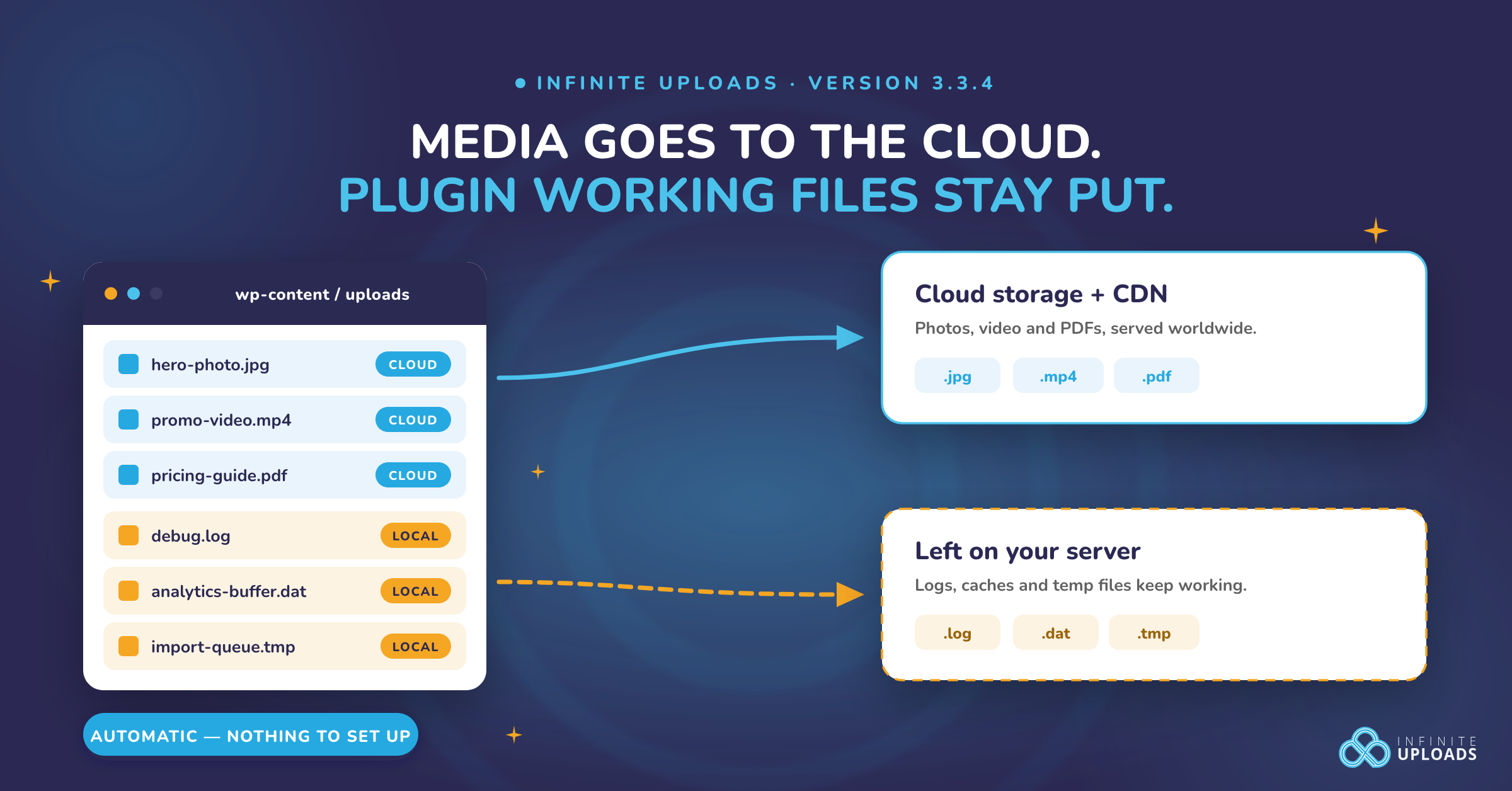
You install the Infinite Uploads plugin, create an Infinite Uploads account, and it automatically migrates your media library to the cloud, serving it through a built-in CDN.
The new uploads also go straight to the cloud. Infinite Uploads even includes a video streaming player with adaptive bitrate, so videos play smoothly without ads. One account can connect an unlimited number of WordPress websites, with no file size limit.
Infinite Uploads handles URL rewriting, file synchronization, and CDN caching automatically. It ensures all your image sizes, thumbnails, and responsive srcset links point to the cloud version, which improves page speed and reduces server load.
The CDN delivers assets from 50+ global edge locations, improving Core Web Vitals like TTFB and LCP. Means faster performance without needing to manually configure S3 policies, CDN endpoints, or cache rules.
Infinite Uploads Key Features
- Built-in cloud storage + global CDN + Media offloading.
- No API keys, buckets, or CDN setup – Plugin handles it all.
- One click completes media migration in minutes with zero effort.
- Fixed monthly plans for storage + bandwidth.
- Upload and manage large videos without stressing your website.
Infinite Uploads Pricing
Infinite Uploads follows a fixed-tier model that combines cloud storage and CDN bandwidth, all bundled with unlimited uploads and site connections.
- Starter Plan — 50 GB Cloud storage + 100 GB CDN: $16/month.
- Business Plan — 100 GB Cloud storage + 200 GB CDN: $24/month.
- Plans scale further for larger needs: e.g., 1 TB at $124/month or $1,488/year
8. Jetpack VideoPress
Jetpack VideoPress is Automattic’s video hosting solution for WordPress. It allows you to upload videos directly from your dashboard and have them delivered in a clean, ad-free player via Jetpack’s global CDN.
Unlike YouTube or Vimeo, there’s no external branding or distracting recommendations. It's just your content on your site. Video press comes with storage and bandwidth included, so you don’t have to worry about egress costs.
Videopress automatically transcodes your videos into multiple resolutions (up to 4K) and streams them adaptively for smooth playback. You can also tailor the player to your site's style and limit access to logged-in users or members only.
Videopress Key Features
- Upload and manage videos inside WordPress.
- No ads, no third-party branding, customizable player.
- Viewers can stream without limits or hidden costs.
- Videos stay tied to your site, not public platforms.
- Maintained by Automattic, always WordPress-compatible.
Jetpack Videopress Pricing
Jetpack VideoPress is available as a standalone plan for $9.95 per month, which includes unlimited video hosting (up to 1 TB), an ad-free, customizable player, and global CDN delivery.
9. WP Offload Media
WP Offload Media is a premium WordPress plugin to help you offload your WordPress media files. It lets you move your media library to cloud storage and serve it through a CDN.
WP Offload Media doesn’t include storage or a CDN. You need to connect your own or preferred cloud storage, such as S3, GCS, DigitalOcean Spaces, or Wasabi, and the plugin handles the integration.
If you are a developer or agency owner who wants complete control over your media, it's the right plugin. It rewrites URLs so your media loads from cloud storage/CDN, supports advanced file handling, and integrates smoothly with popular plugins like WooCommerce or EDD.
You can offload existing libraries in bulk, save disk space by removing local copies, and even offload non-media assets with its Assets Pull addon.
WP Offload Media Key Features
- Works with the WordPress Media Library and key plugins.
- Option to remove local files after offload.
- Media loads directly from cloud/CDN, reducing server load.
- Logs, filters, WP-CLI commands, and automation support.
- Rewrites URLs for CloudFront, Cloudflare, Imgix, or custom domains.
WP Offload Media Pricing
WP Offload Media starts at $69/year for up to 2,000 media items. There are multiple tiers as your library grows, including an unlimited plan at $1,199/year.
Pricing is based on the number of media items, as this includes only the offloading cost. You will still need to pay separately for your cloud storage and the CDN to serve your files.
Best Cloud Storage for WordPress Backups
Offloading media helps with performance and primary storage, but it’s not a backup. Backups keep safe copies of your entire WordPress site, including the files and database. Thus, you can recover if your host fails or you make a mistake.
Every WordPress site should have regular backups stored in the cloud. Thus, even if your server goes down, you still have a secure copy elsewhere, ensuring that you don’t lose your data permanently.
Let’s talk about some of the best cloud backup storage services you can use for your WordPress website and how they benefit you.
10. Backblaze B2
Backblaze B2 is one of the most reliable and affordable cloud storage services for backing up and archiving WordPress websites. It’s S3-compatible and integrates with popular backup plugins like UpdraftPlus, BlogVault and BackupBuddy.
Setting up Backblaze is very simple. Just create a bucket, add credentials, and your backups will upload directly to B2. No other complications needed.
B2 also offers free egress for specific scenarios. They have a deal where egress via Cloudflare is free, and if you deliver content from B2 through Cloudflare’s CDN, it’s also free.
Backblaze B2 Key Features
- Store huge backup archives for a super cheap price.
- Free ingress (uploads) and free daily API call quotas.
- Backups are ready to download at any time.
- Works directly with WordPress backup plugins.
- 10 GB free storage and a free download quota.
Backblaze B2 Pricing
Backblaze B2 costs $ 6 per TB per month ($0.006/GB) with no minimums. You get 10 GB free, and downloads are free up to 3× your storage each month (then $0.01/GB).
API calls are very cheap. 2,500 per day are free, then just $0.004 per 1,000 requests.
11. Dropbox
Dropbox is a reliable destination for backing up WordPress sites. There are many backup plugins, such as UpdraftPlus, Duplicator, and BackWPup, that support Dropbox backup directly.
Setting up Dropbox with WordPress is simple. Connect your Dropbox account once, and backups will be uploaded into a Dropbox folder.
The main advantage of Dropbox is its convenience. Most people already use Dropbox, so backups feel familiar. You can view, download, or share them easily.
Dropbox’s free plan may be enough for small sites, and if you already have a premium plan on Dropbox, it’s one less service to manage.
Dropbox Cloud Backup Key Features
- Direct integration with popular WordPress backup plugins.
- Backups appear in your regular Dropbox folders.
- Works fine if your backups fit within the free plan.
- Encrypted and redundant storage.
- Retrieve backups from the web, desktop, or mobile device.
Dropbox Cloud Backup Pricing
Dropbox starts with a free plan at 2 GB. The base premium plan, Plus, includes 2 TB for $9.99/month, and at the top, the Advanced plan offers 3 TB for $19.99/month. There are also some other plans options for business users.
12. Google Drive
Google Drive is a popular choice for WordPress backup storage. It’s also available to anyone with a Google account. You get 15 GB of free space shared across Drive, Gmail, and Photos, which is far more generous than Dropbox’s free tier.
Setting it up is super simple with backup plugins like UpdraftPlus or BackWPup. You authenticate with your Google account, and automatically upload backups to a folder in your Drive (e.g., /UpdraftPlus/).
Google Drive backups use its API integration. The backup plugins handle the OAuth login, so you don’t need to manage keys or endpoints. Security is strong, with encryption and two-factor authentication available on your Google account.
Google Drive Backup Key Features
- 15 GB free storage with every Google account.
- Low-cost paid plans if you need more.
- Direct integration with popular backup plugins.
- Fast upload/download speeds via Google’s network.
- Encrypted storage with 2FA account protection.
Google Drive Pricing
Google Drive includes 15 GB of free storage, and the premium plan starts at 100 GB for $1.99/month, while the top individual plan offers 2 TB for $9.99/month. Higher tiers (5–30 TB) are also available for heavy users, starting at 5TB for $24.99/month.
Specialized Video & Media Hosting for WordPress
Your WordPress website may focus on heavy video or large media files, such as audio, high-resolution images, and more. In that case, you can use specialized hosting services designed for that type of media.
These specialized video and media hostings often provide features such as adaptive streaming, video players, global distribution, and monetization options, which general-purpose cloud storage typically won’t offer.
Here, we'll look at some of the best specialized video and media hosting services and how they can help you.
13. Vimeo Pro
Vimeo is a popular video hosting platform for creators, educators, and businesses who want an ad-free, high-quality viewing experience. Vimeo lets you embed videos on WordPress using blocks or embed codes.
Video stores your videos entirely on its servers. The videos don’t consume your web host’s storage or bandwidth. It saves your hosting space and removes stress from your website.
Vimeo handles transcoding into multiple resolutions up to 4K on higher plans and streams videos with an adaptive bitrate for smooth playback.
You can also customize the Vimeo video player, remove Vimeo branding, and restrict videos to play only on your domain.
Vimeo Pro Key Features
- Ad-free, high-quality player with customizable colors.
- Domain-level restrictions and password protection.
- 4K video support with smoother compression than YouTube.
- Ability to replace videos without breaking embeds.
- Add branding (logos/watermarks) and some marketing tools.
Vimeo Pro Pricing
Vimeo offers a free plan with limited features, with four premium pricing plans:
- Starter: 100 GB total storage for $12/month.
- Standard: 2 TB storage for $25/month.
- Advanced: 7 TB storage for $75/month.
- Enterprise — Custom pricing for teams
14. Mux
Mux Video is a developer-first video infrastructure platform. It’s more like AWS for video than a consumer platform. It provides APIs for uploading, storing, encoding, and streaming video, but doesn’t offer a ready-made player or social network.
Using Mux Video in WordPress commonly involves custom integration through their APIs or plugins. It’s best suited for advanced use cases, such as custom training sites, SaaS applications, or building your own video platform.
Mux Video automatically encodes videos into multiple resolutions, provides adaptive streaming (HLS/DASH), and streams broadcasts from RTMP feeds. It also shines in analytics, giving detailed data on playback quality, buffering, and user experience.
Unlike YouTube or Vimeo, Mux Video is completely white-label. There’s no branding, and videos play through your chosen player. Your users won’t know Mux is powering things in the background.
Mux Video Key Features
- API-driven workflows for upload, playback, and automation.
- Streaming with automatic multi-bitrate encoding.
- White-label experience with no external branding.
- Real-time analytics and monitoring via Mux Data.
- Built for companies that need serious video infrastructure.
Mux Pricing
Mux Video uses a simple three-tier model with a free plan, a low-cost starter plan, and flexible pay-as-you-go pricing.
- Free: 10 on-demand videos + 100,000 streaming minutes each month.
- Starter ($10/month): $100 usage credits for storage, delivery, or live streaming.
- Enterprise: Customized pricing for users.
15. YouTube (Unlisted + Embed)
YouTube is the world’s largest video platform and a popular choice for hosting WordPress videos, thanks to its free, unlimited, and globally optimized features.
You can upload videos as Unlisted on YouTube, which allows you to keep them out of search results while still embedding them on your site. This offloads all bandwidth to YouTube’s servers.
The YouTube video player is highly reliable, adaptive from 144p to 4K, and easy to embed with just a link. However, you don’t get complete control.
The player always shows YouTube’s logo. Ads can also appear and somewhat suggest your competitor’s video after the playback.
YouTube Key Features
- Free unlimited hosting up to 12 hours or 128 GB per video.
- Adaptive streaming across all devices.
- Public option can drive new traffic through YouTube’s algorithm.
- Potential to reach new audiences via YouTube search.
- Unlisted option hides videos from search but keeps them embeddable.
YouTube Pricing
Uploading videos to YouTube is free, with no charges for video length, resolution, or file size. API uploads are free, but they use a quota. Each video upload takes 1,600 units, and you get 10,000 units daily. You can do about 6 uploads per day.
Which Cloud Storage Is Best for WordPress?
Best Overall for Most WordPress Users: Infinite Uploads
If you want it to work without touching AWS or configuring CDNs, Infinite Uploads is the winner.
I set it up in under 10 minutes; it moved my entire Media Library to the cloud and instantly served it via a global CDN.
It’s predictable in cost, starts at about $19/month, and is built 100% for WordPress.
Perfect if you don’t want to mess with buckets, IAM users, or billing surprises.
Best Low-Cost DIY Option: Cloudflare R2
Cloudflare flipped the script by offering egress bandwidth for free. That means you can serve terabytes of images or downloads without surprise bills.
R2 storage is only $0.015/GB/month, and it ties straight into Cloudflare’s 330+ edge locations. You’ll need to perform some setup and use a plugin or Worker for WordPress integration.
Great if you’re comfortable tinkering and want ultra-low cost at scale.
Best Budget Storage + CDN Combo: Wasabi + BunnyCDN
Wasabi is around $6.99/TB monthly with no egress fees. BunnyCDN charges as little as $0.01/GB for global delivery.
Paired together, they’re cheaper than S3/CloudFront and give predictable pricing.
I like this combo for sites with heavy image or download traffic, such as photographers or file libraries, where cost control is a priority.
Best Enterprise Choice: Amazon S3 + CloudFront
If compliance, enterprise contracts, or advanced AWS tooling are a concern, S3 + CloudFront remains the king.
It has the deepest ecosystem, integrations with almost every WordPress plugin, and reliability at global scale.
Big businesses stick with AWS because of its maturity, not because it’s the cheapest.
Best for Backups: Backblaze B2
I always recommend separating backups from your regular WordPress media. For backups, B2 is absurdly cheap, only $6/TB/month for storage and $0.01/GB for restores.
It integrates with popular backup plugins, including UpdraftPlus and BlogVault.
If your site ever melts down, you’ll be glad your backups are sitting safely on B2 instead of just your host’s server.
Which I Think is The Best?
If you are a small to medium-sized business owner who wants to avoid technical stress and have a system that takes care of everything, and you’re looking for a quick win, use Infinite Uploads.
If you are okay with taking on the technical stress and doing it personally and want the cheapest possible stack, build around Cloudflare R2 or Wasabi + BunnyCDN.
If you’re an enterprise and okay with spending all the money for sustainability, you can stay with S3 + CloudFront.
And no matter what, use B2, Dropbox, or Google Drive for off-site backups, because offloading isn’t the same as backup.