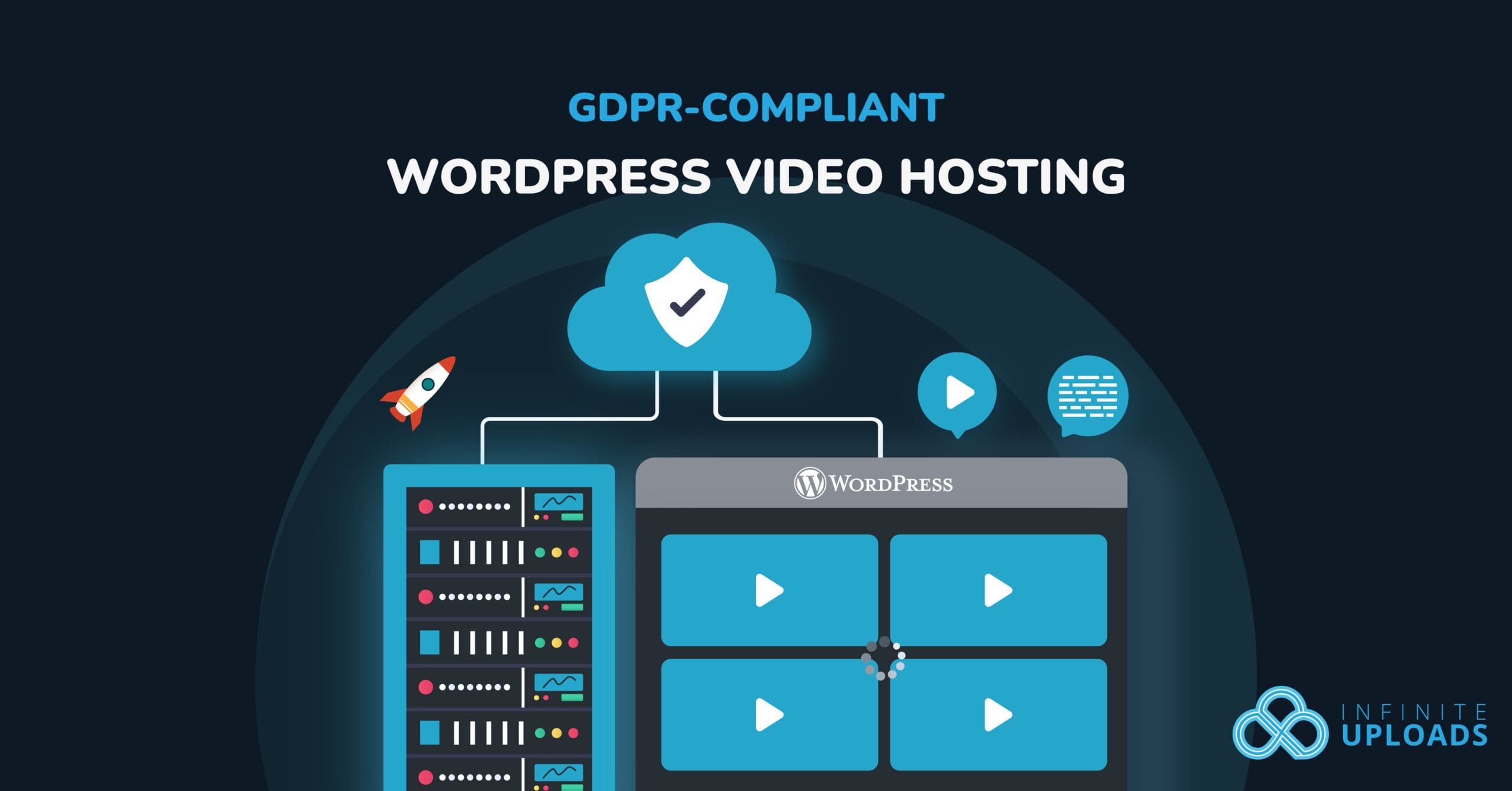
Uploading videos to your WordPress site seems simple enough, right? Drag, drop, embed, publish.
But if your audience includes visitors from the EU, you can’t afford to ignore what’s happening behind the scenes. Every video you host or embed could be collecting personal data in ways that violate privacy laws.
The General Data Protection Regulation (GDPR) is Europe’s sweeping data privacy law. It applies to any business that collects or processes data from people in the EU, no matter where that business is based.
For WordPress site owners, that means every embedded video, every analytics script, and every cookie matters. Failure to comply can lead to steep fines, but perhaps more importantly, it erodes trust with your audience.
Video hosting is one of the trickiest areas for compliance. Popular platforms like YouTube and Vimeo often set third‑party cookies, serve ads, and share user data in ways you can’t control.
A first-party video workflow can reduce reliance on third-party embeds, but no hosting provider makes a WordPress site GDPR-compliant by itself. Compliance depends on the site’s purposes, configuration, contracts, data flows, notices, lawful basis, and request-handling process.
This guide explains the privacy questions to ask about embedded and first-party video, then shows how to evaluate Infinite Uploads video hosting without treating unverified product behavior as a legal guarantee.
Reviewed August 13, 2026. This is a practical procurement and deployment checklist, not legal advice. Confirm your specific implementation with qualified counsel.
The Problem With Traditional WordPress Video Hosting
For most WordPress site owners, the easiest way to add videos is to embed them from platforms like YouTube or Vimeo. All you have to do is copy the embed code, paste it into your post, and you’re done.
But what’s convenient on the surface can create hidden compliance problems behind the scenes.
When you embed a video from a third‑party platform, that service often sets its own cookies and tracking scripts on your visitors’ devices. These third‑party cookies can collect personally identifiable information (PII) like IP addresses, viewing history, or location data, without explicit consent. You might never see the data they’re gathering or know how it’s being shared.
For a WordPress site owner, this lack of control is more than just a technical concern. It’s a legal liability.
The site operator typically determines why and how visitor data is processed and must assess lawful basis, transparency, processor contracts, retention, security, and data-subject requests. A hosting or player provider may act as a processor with separate contractual and operational duties. See the EDPB controller and processor guidance.
And the risks are real:
- Hefty fines for non‑compliance.
- A privacy policy that’s inaccurate.
- Loss of user trust when visitors realize their data is being shared without their consent.
For businesses targeting EU audiences, these risks multiply. Visitors are increasingly privacy‑aware, and regulators are paying attention. Relying on third‑party video hosting means relying on someone else’s privacy practices, and that’s not a gamble you can afford.
What Does It Mean to Be GDPR-Compliant?
Before we get into solutions, it’s important to understand what GDPR-compliance actually requires.
The GDPR is built around one core principle: people should know how their data is used and have control over it.
In practice, GDPR applies to any website that collects or processes data from visitors in the European Union, whether or not your business is based there. And it doesn’t matter if you’re selling products, collecting email addresses, or simply embedding a video player. If personal data is involved, the rules apply.
What Counts as Personal Data?
The GDPR uses the broader term personal data: information relating to an identified or identifiable person. Depending on context, that can include names, email addresses, IP addresses, location data, cookie identifiers, device identifiers, and viewing or analytics records.
Video players that log viewing activity, attach online identifiers, or send data to analytics or advertising systems may process personal data.
Key Requirements for GDPR Compliance
To stay on the right side of GDPR, you need to:
- Obtain explicit consent for any tracking or analytics that isn’t strictly necessary.
- Be transparent about how data is collected, processed, and stored. This is usually done through a clear privacy policy and consent banners.
- Provide control to the user, including the ability to delete their data or request a copy of it.
What This Means for Video Hosting
When you host or embed videos, these requirements don’t go away. In fact, video hosting can introduce risks you might not expect.
Hidden trackers inside third‑party players such as YouTube & Vimeo can start collecting data before a visitor has even clicked play. Those players may also collect far more information than you need to deliver your content.
A practical video-hosting review should cover:
- What data the player, CDN, logs, analytics, and support systems process.
- Which party is the controller or processor for each data flow.
- Cookies or local storage, consent timing, lawful basis, notices, and user controls.
- Storage and CDN regions, subprocessors, transfers, retention, deletion, security, and DPA terms.
First-party hosting can reduce third-party embed dependencies, but it still requires a documented data-flow and vendor review.
Keeping the publishing workflow inside WordPress may make the system easier to understand, but you still need to verify the player, CDN, logs, analytics, contracts, regions, retention, and deletion behavior.
Evaluate Infinite Uploads for a Privacy-Conscious Video Workflow
Infinite Uploads is a cloud storage and delivery solution built specifically for WordPress.
Instead of relying on third‑party video platforms, you store your media files (videos, images, and more) in managed cloud storage that integrates with your WordPress site. This can reduce third-party embed dependencies while preserving a WordPress-centered publishing workflow.
How It Works
When you install the Infinite Uploads plugin, it connects your WordPress media library to a managed cloud storage account.
Every video you upload is stored on that cloud and delivered to visitors through a high‑speed, optimized CDN (Content Delivery Network). And because the service is built for WordPress, you don’t have to learn a new interface or leave your dashboard.
Product Facts to Verify Before Deployment
Do not publish or rely on product-specific compliance claims until current documentation or the product team confirms each item below:
- Storage and CDN regions.
- Subprocessor list, DPA availability, and international transfer mechanism.
- Cookies or local storage set by the player before consent.
- IP and request-log handling, purpose, access, and retention.
- Video analytics behavior and configurable controls.
- Deletion propagation, backups, and data-subject request support.
- Security measures and controller-versus-processor responsibilities.
Operational Benefits to Evaluate
- A WordPress-native upload and management workflow.
- Cloud storage and CDN delivery that reduce load on the WordPress server.
- First-party video hosting and a customizable WordPress video player.
- Fewer third-party embed dependencies, subject to the verification checklist above.
Compare the setup with other WordPress video embedding methods before deciding.
How to Set Up Infinite Uploads for a Privacy Review
Getting started with Infinite Uploads is quick and straightforward:
Step #1: Install and Activate the Plugin
From your WordPress dashboard, go to Plugins → Add New and search for Infinite Uploads.
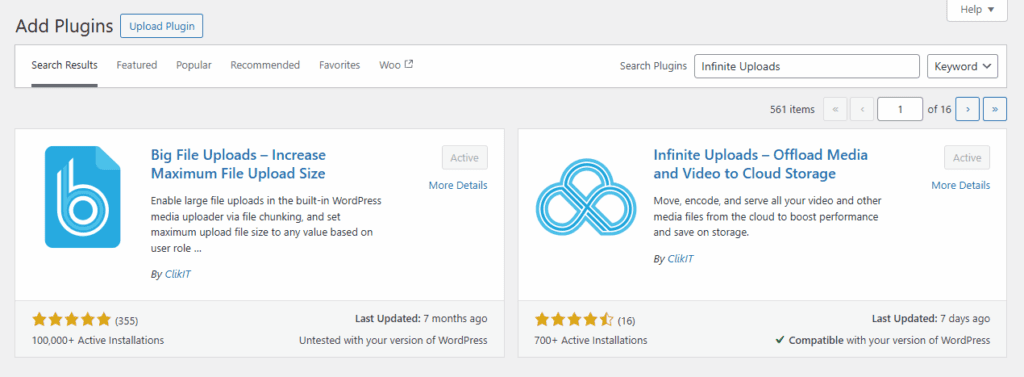
Install it, then click Activate.
Step #2: Connect Your Site to the Cloud
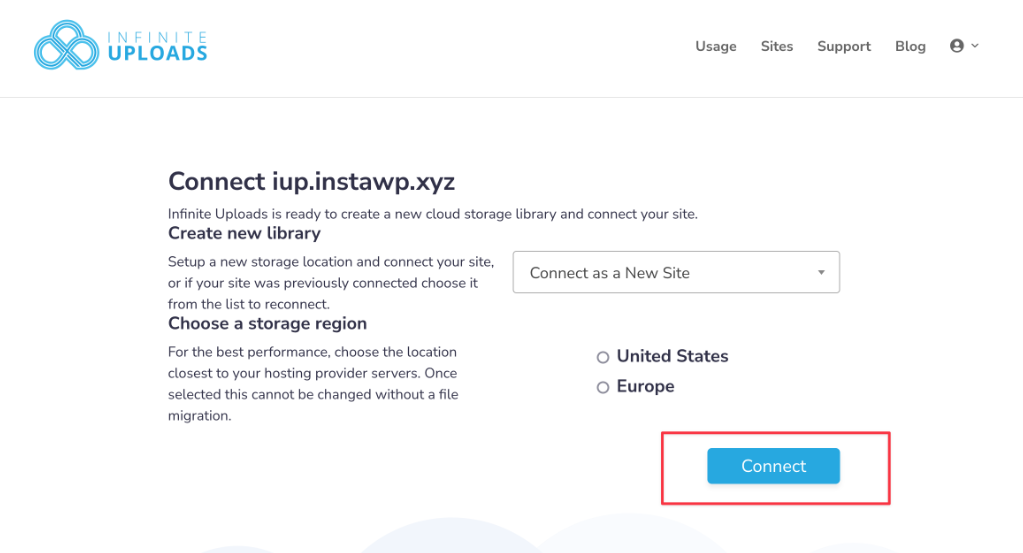
After activation, you’ll be prompted to create or connect an Infinite Uploads account. Follow the on‑screen steps to link your site to your cloud storage account.
Step #3: Upload Videos
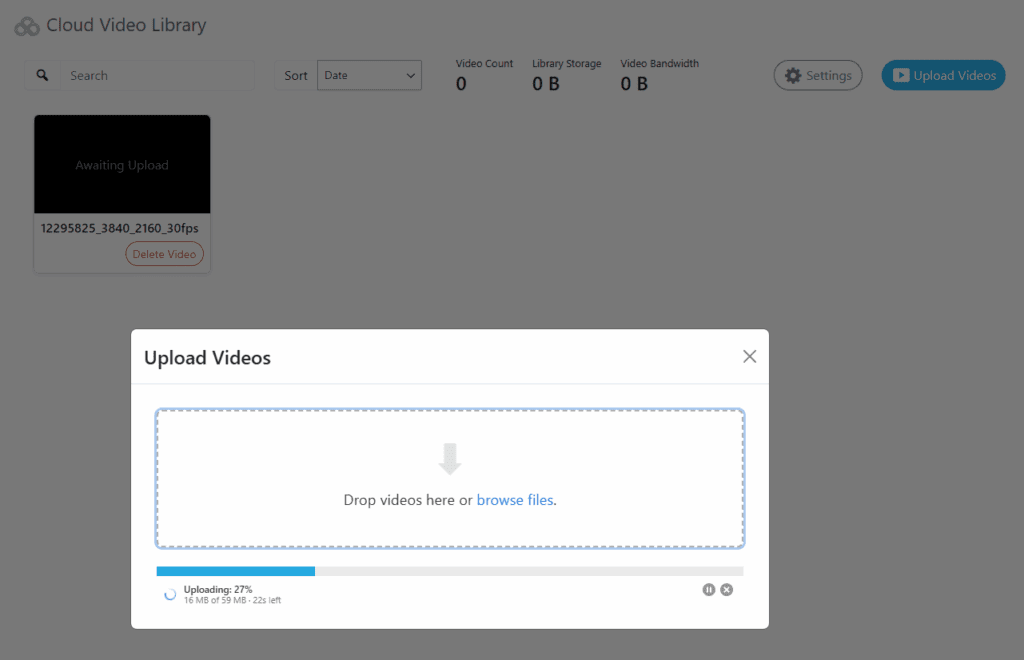
Head over to Media → Video Library from the WordPress admin panel and click the Upload Videos button.

Select the videos you’d like to upload.
Once they’re uploaded, you can click on a video to update its title, select a thumbnail (or add your own), and configure playback options.
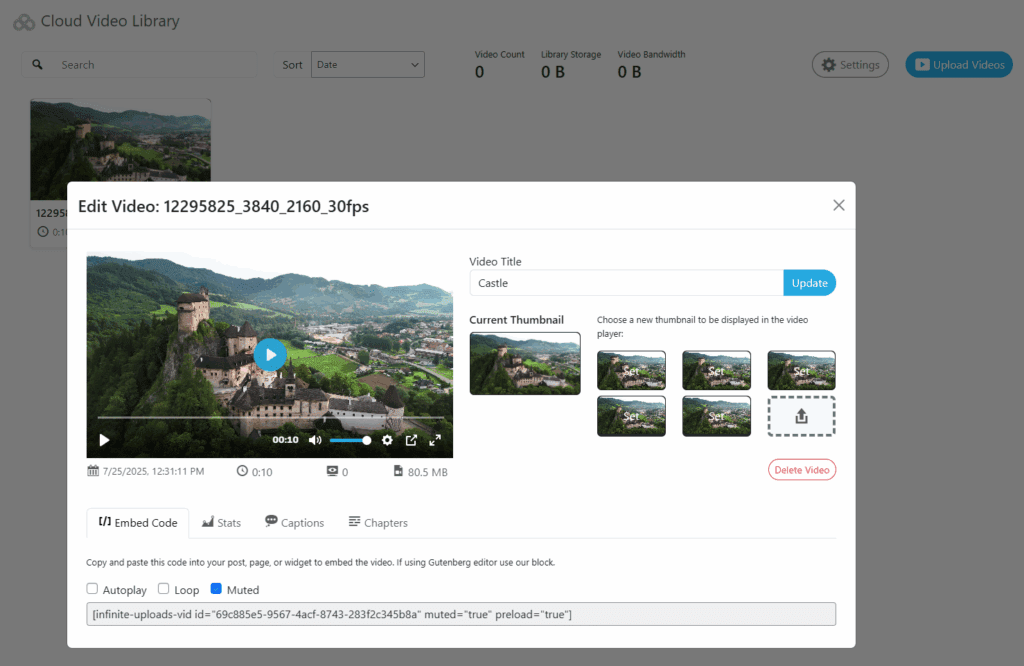
To add a video to your site, copy the Embed Code and paste it into your post, page, or widget.
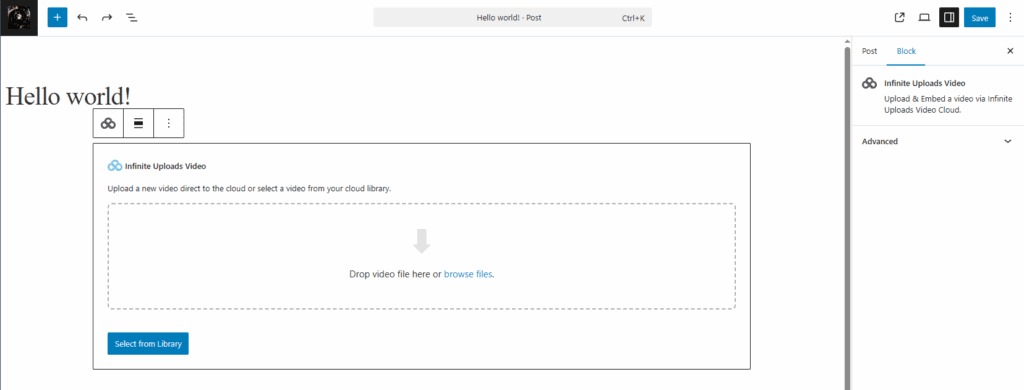
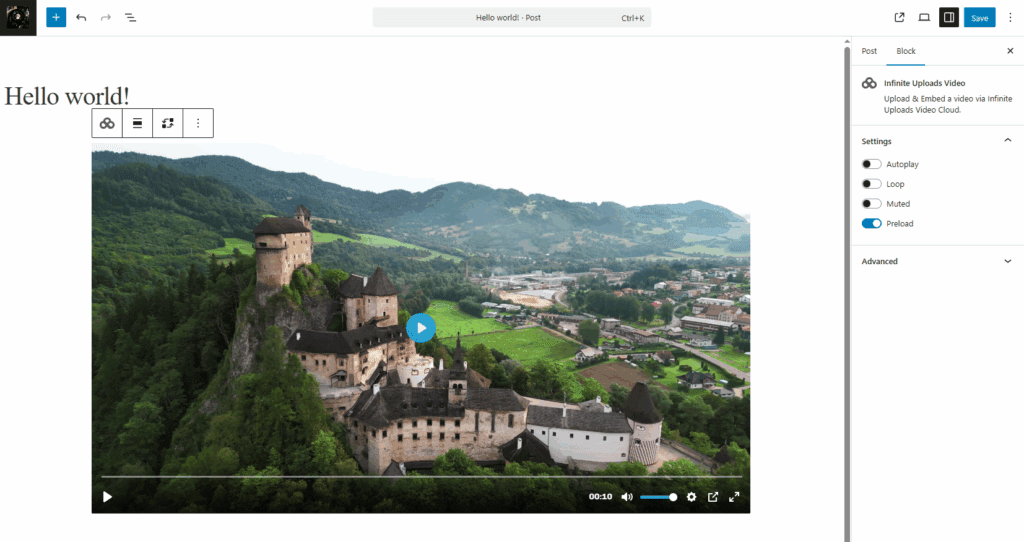
If you’re using the Gutenberg editor, you can use the Infinite Uploads block to add the video.
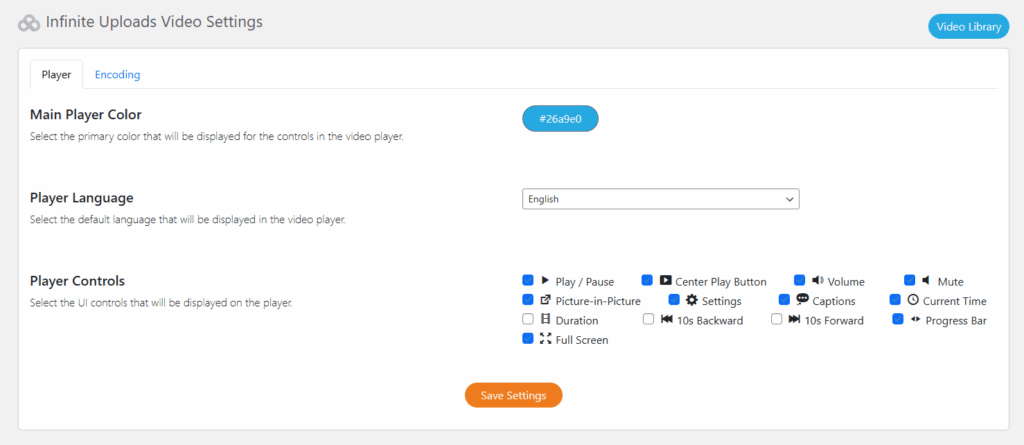
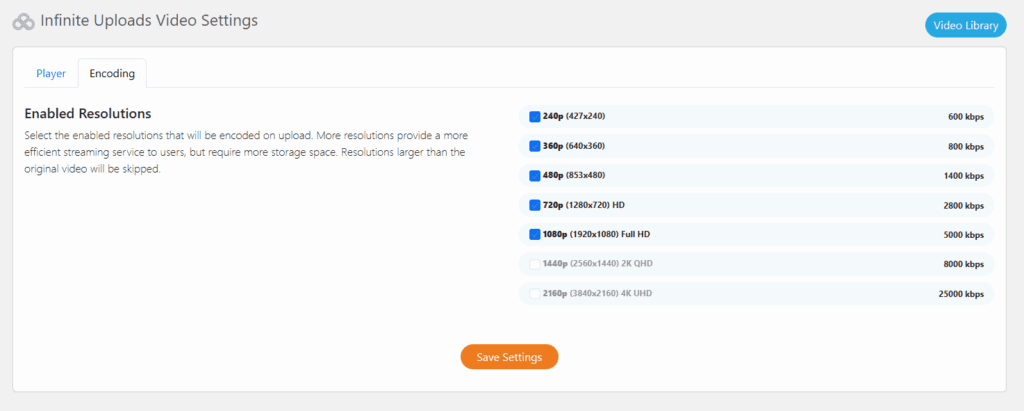
To configure video settings, go to Infinite Uploads → Video Cloud from the WordPress admin panel. From here, you can configure video player settings as well as encoding settings.
A few final compliance reminders:
- Update your privacy policy. Describe the actual, verified storage, delivery, logging, analytics, retention, and sharing behavior for your configured video workflow.
- Enable consent banners if needed. If you’re using any analytics or marketing scripts elsewhere on your site, make sure you’ve implemented a GDPR‑compliant consent mechanism.
The technical setup is only one part of the review. Complete the product-fact checklist, update notices and contracts, configure consent where required, test the page before consent, and document the result.
Best Practices for a GDPR Video Workflow
A hosting choice can simplify part of the data flow, but GDPR compliance is an ongoing governance process rather than a feature you switch on.
To keep your WordPress site safe and trustworthy, follow these best practices:
Review Your Privacy Policy and Cookie Notices Regularly
Your privacy policy is a living document. Whenever you change how data is collected (by adding a new plugin, enabling a new analytics tool, or embedding third‑party content), update your privacy policy and cookie notices. Make sure they clearly explain what data you collect, why you collect it, and how users can opt out.
Only Collect Necessary Data
GDPR emphasizes data minimization: only gather the information you need to provide your service.
For many WordPress sites, “necessary data” might include login credentials for members, payment details for purchases, or contact information for support. It rarely includes extra tracking data or unnecessary personal details.
Have a System for Data Deletion or Access Requests
Under GDPR, users have the right to request access to their data or ask for it to be deleted. Make sure you have a process in place to handle these requests promptly.
Pro tip: WordPress includes built‑in tools for exporting and erasing user data.
Keep WordPress and Plugins Updated for Security
Half of data privacy is compliance; the other half is protecting the data you store. Outdated plugins or WordPress versions can introduce vulnerabilities. Regularly update your core installation, themes, and plugins to reduce the risk of breaches.
By following these practices and verifying the vendor terms and configured data flow, you support ongoing accountability and clearer communication with visitors.
Conclusion
Hosting videos on your WordPress site doesn’t have to mean sacrificing privacy or risking non‑compliance. By understanding the risks of traditional third‑party embeds and the requirements of GDPR, you can make smarter choices that protect both your business and your audience.
A first-party workflow can make storage and delivery easier to map, but claims about cookies, tracking, regions, retention, subprocessors, or transfers must come from current product documentation and the site’s tested configuration.
If the verified product facts fit your requirements, review Infinite Uploads video hosting and current plans. Have counsel review the resulting data flow and contracts before treating the deployment as compliant.